

AI Hairstyle Try-On: Find a Haircut That Suits You Before You Commit
The best way to choose a new haircut is to preview several options on your own face before making a permanent change. An AI hairstyle try-on lets you compare cuts, lengths, bangs, and colors using a selfie, so you can move from vague inspiration to a clearer idea of what you want.
Naee helps you explore hairstyle ideas, compare different looks, and prepare for a more useful conversation with your stylist.
What is an AI hairstyle try-on?
An AI hairstyle try-on is a virtual makeover tool that creates a preview of a hairstyle on your photo. Instead of judging a cut only from a picture of a model, you can see how a similar direction may look with your own face shape, features, and proportions.
It is a planning tool, not a guarantee of the final salon result. Your hair texture, density, current length, starting color, and styling routine all affect the outcome.
How do I choose a haircut that suits me?
Start with four practical questions:
- What is my face shape? Face shape can help you identify cuts that balance your proportions.
- What is my natural hair texture? Straight, wavy, curly, and coily hair behave differently after a cut.
- How much time do I want to spend styling? A low-maintenance cut should work with your normal routine.
- How much change am I ready for? A small length adjustment and a dramatic short cut require different levels of commitment.
These questions are more useful than following a single trend. A haircut should suit both your features and the way you actually live.
Which hairstyles work with different face shapes?
Face shape is a helpful starting point, not a strict rulebook.
- Round faces: Long layers, curtain bangs, side parts, and angled bobs can add vertical movement.
- Oval faces: Many lengths and shapes can work; hair texture and styling preferences become more important.
- Square faces: Soft layers, waves, and side-swept fringe can complement stronger angles.
- Heart-shaped faces: Chin-length layers and curtain bangs can balance a wider forehead and narrower chin.
- Oblong faces: Full fringe, waves, and side volume can create visual balance.
The most useful approach is to preview more than one option. You may prefer a style that traditional face-shape advice would not recommend first.
Why does hair texture matter?
A reference photo does not show the full maintenance required for a haircut. A style that looks effortless on straight hair may need different shaping or styling on curls. Fine hair may need a different layering strategy than thick hair, while natural waves can change the silhouette of a bob or fringe.
When reviewing an AI preview, ask:
- Will this shape work with my natural texture?
- How much styling would it require each morning?
- Will the layers keep their shape as my hair grows?
- Does the cut suit my current length and density?
Use the preview to choose a direction, then ask a stylist how to adapt it to your real hair.
How do I get a useful AI hairstyle preview?
The quality of your reference photo affects how easy the result is to judge.
Use a photo that is:
- Front-facing
- Sharp and well lit
- Free from strong beauty filters
- Clear around the face and hairline
- Not blocked by sunglasses, hats, or another person’s hair
Try more than one photo if your usual part or hairstyle covers part of your face. Comparing previews from consistent photos makes it easier to focus on the haircut rather than changes in lighting or angle.
How to try a hairstyle with Naee
Naee gives you several ways to explore a new look:
- Upload a selfie. Choose a clear photo with your face visible.
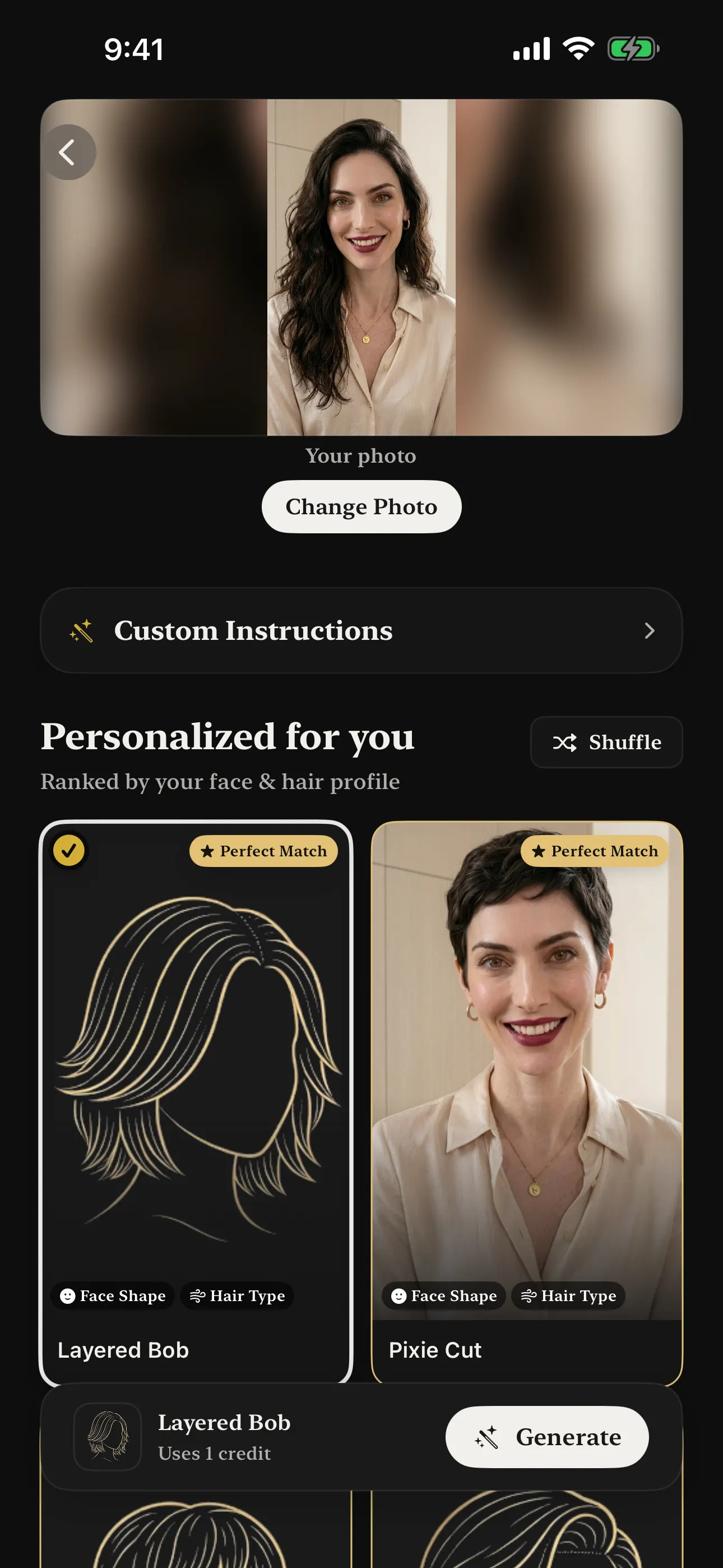
- Explore personalized suggestions. Naee analyzes your face shape and hair type to help you discover suitable styles.
- Preview different directions. Compare short cuts, long layers, bangs, bobs, and other hairstyles.
- Save your favorites. Keep two or three options instead of relying on one first impression.
- Show the previews to your stylist. Ask which adjustments suit your texture, length, and maintenance routine.
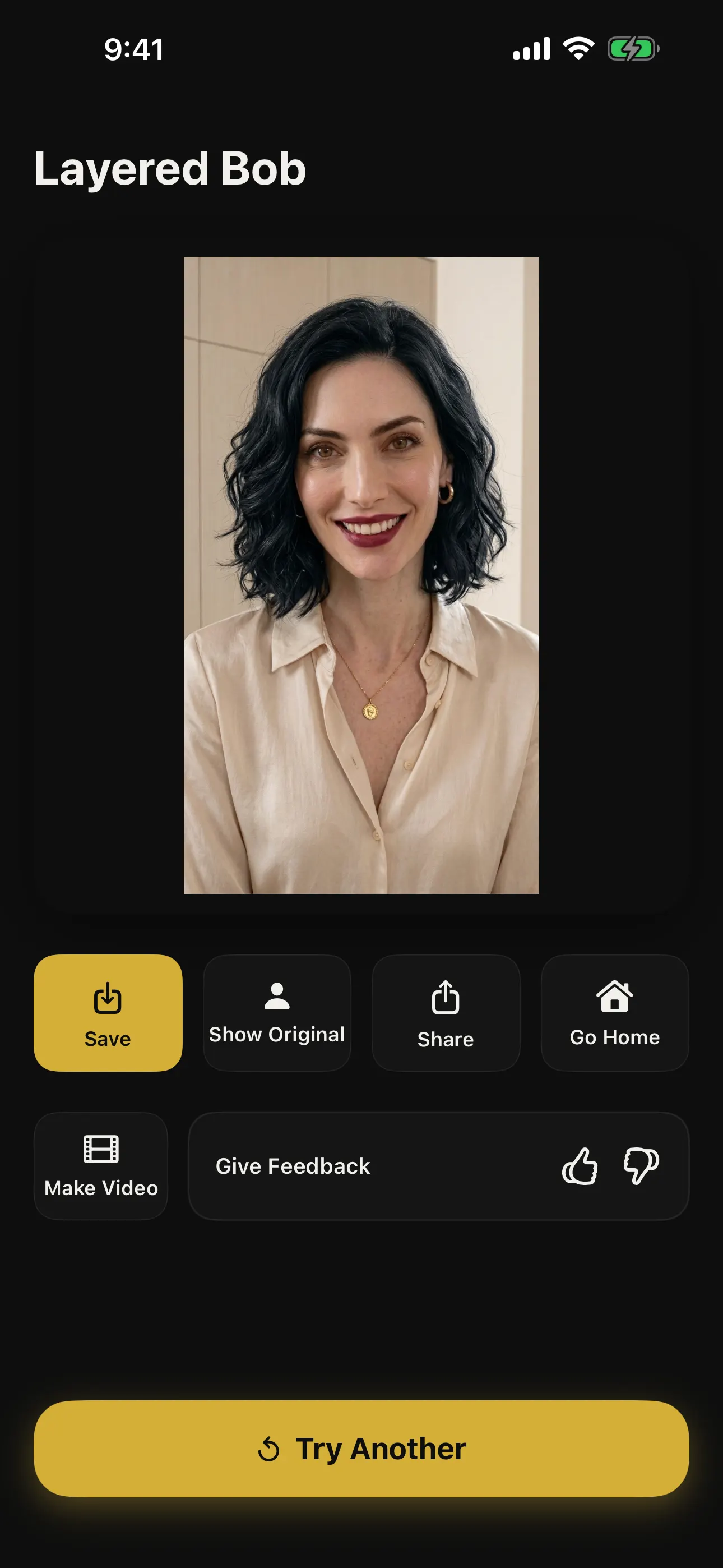
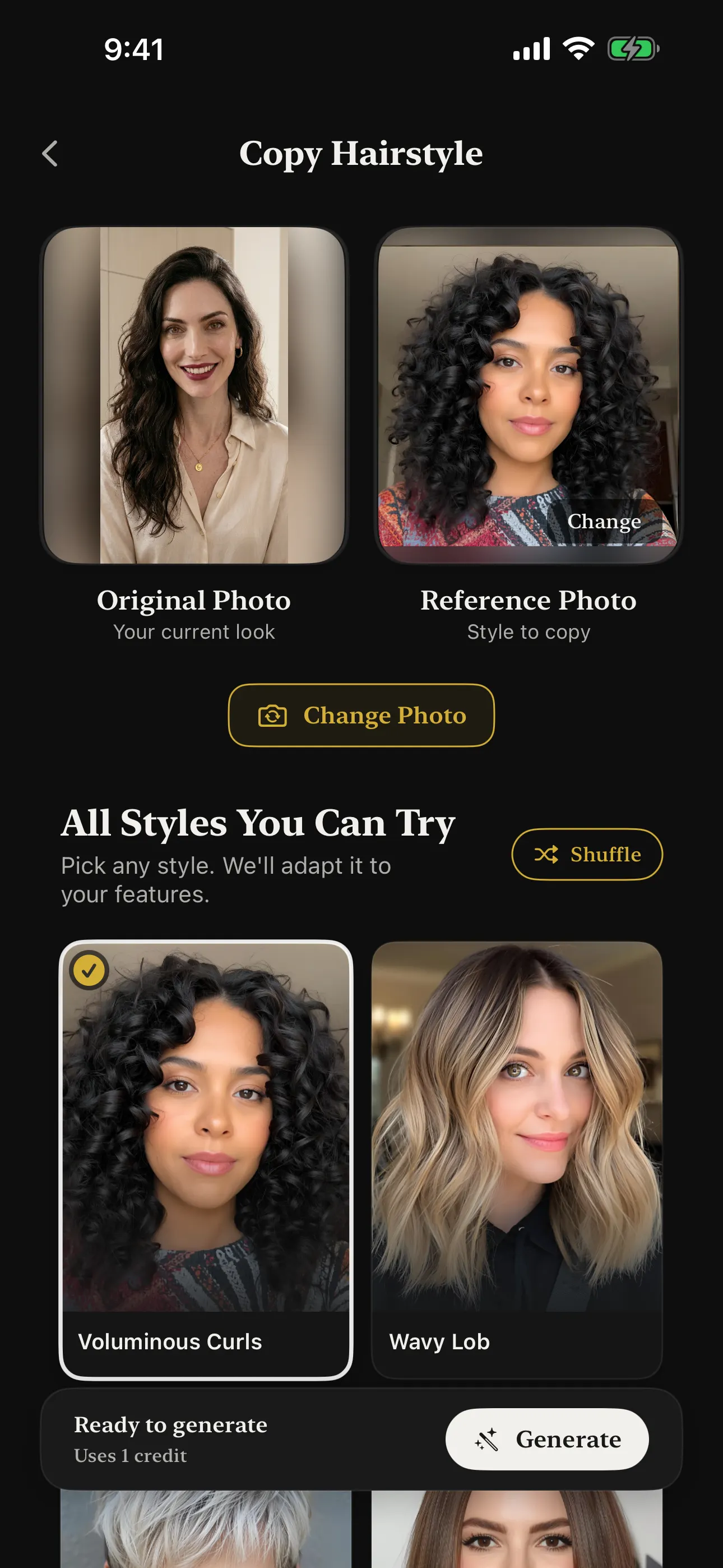
You can also use Naee to copy a hairstyle from a reference photo, preview a different hair color, or chat with the AI Hair Consultant when you are not sure what to try.
What can AI hairstyle previews tell you?
An AI preview can help you compare:
- Short versus long hair
- Bangs versus no bangs
- Layers versus a one-length cut
- Center parts versus side parts
- Natural versus vivid hair colors
- Different overall styling directions
It can make a high-commitment decision easier to discuss. Instead of saying that you want “something different,” you can bring a few visual examples to your appointment.
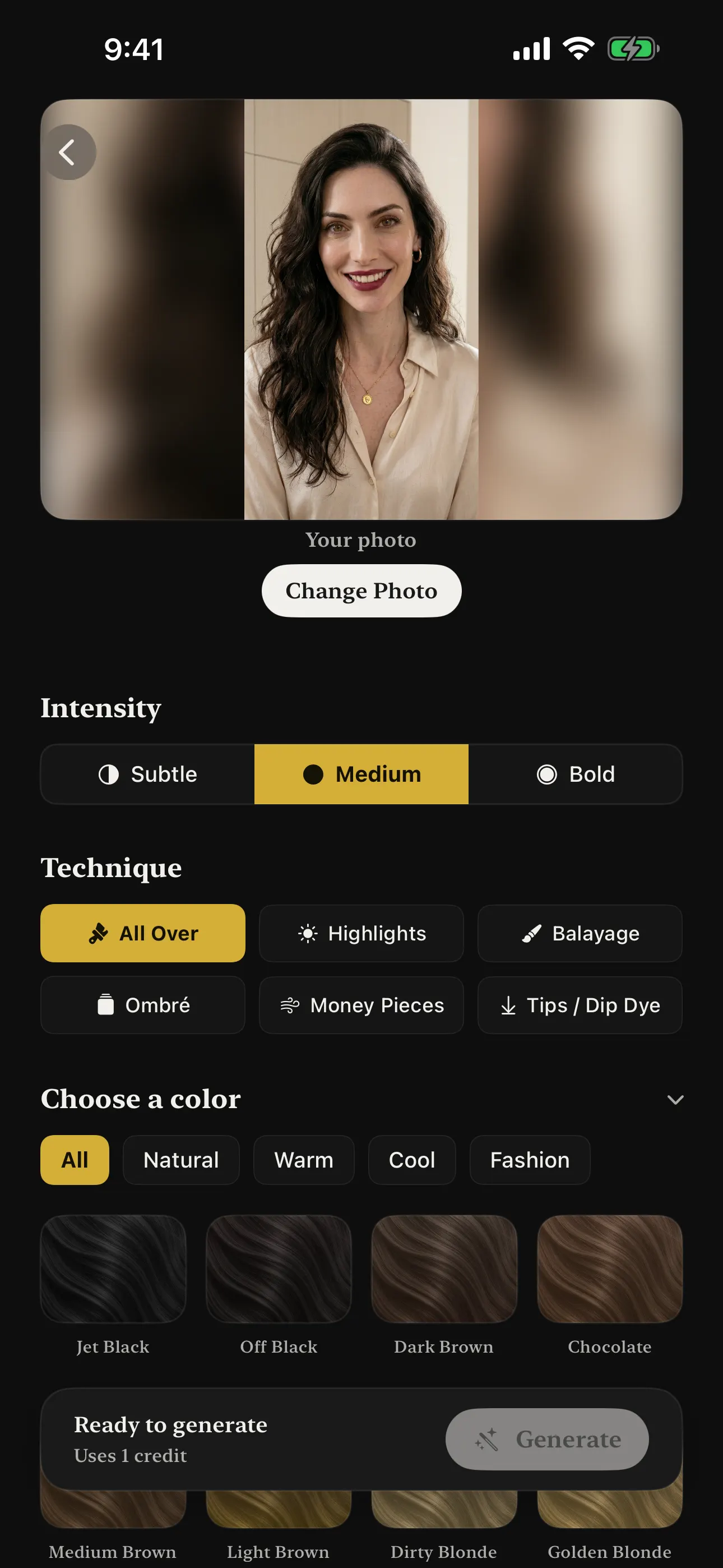
Naee also lets you explore color options with different techniques and intensity levels, so you can compare a subtle change with a bolder direction before speaking with a colorist.
What can an AI hairstyle preview not tell you?
A preview cannot fully predict:
- How your hair will move in real life
- The exact result on your current texture
- Whether your hair has enough length or density
- The maintenance needed between appointments
- The chemical process required for a color change
Treat the image as a visual reference. Your stylist can check the condition of your hair and explain what is realistic, safe, and manageable.
The best workflow: preview, shortlist, consult
The simplest way to use AI before a haircut is:
Preview several ideas → shortlist your favorites → consult a professional.
Do not search for one perfect answer. Compare a few variations, notice what you like about each one, and combine those details into a clearer request.
For example, you may prefer the length of one cut, the fringe of another, and the softer layers of a third. That gives your stylist useful information without treating the AI image as an exact instruction.
Download Naee for iPhone (free download, in-app purchases) →
FAQ
What is the best way to see a haircut on my face?
Use an AI hairstyle try-on app such as Naee. Upload a clear selfie, preview several cuts, and compare the options before making a salon appointment.
Can AI tell me which hairstyle suits me?
AI can suggest hairstyles based on visible features such as face shape and hair type. The recommendation is a starting point; your texture, density, length, and styling routine should also guide the decision.
Should I choose a haircut based only on my face shape?
No. Face shape is one useful factor, but it should not limit your choices. Hair texture, maintenance preferences, personal style, and the advice of a professional matter too.
Can I try bangs before cutting them?
Yes. An AI hairstyle try-on can help you compare curtain bangs, side-swept fringe, full fringe, and no bangs before making the change.
Will the AI preview look exactly like my salon result?
No. The preview shows a visual direction, not a promise. Your stylist’s technique, your hair’s condition, and your natural texture affect the final result.