
AI Hairstyle Previews for Fine Hair: Check the Density
Treat an AI hairstyle preview as a style illustration, not proof that your own hair can achieve its density or volume. When using an AI hairstyle app for fine hair, compare the original hairline, visible scalp, strand texture and styling requirements before deciding. A beautiful generated bob can help you choose an outline while still inventing the amount of hair needed to fill it.
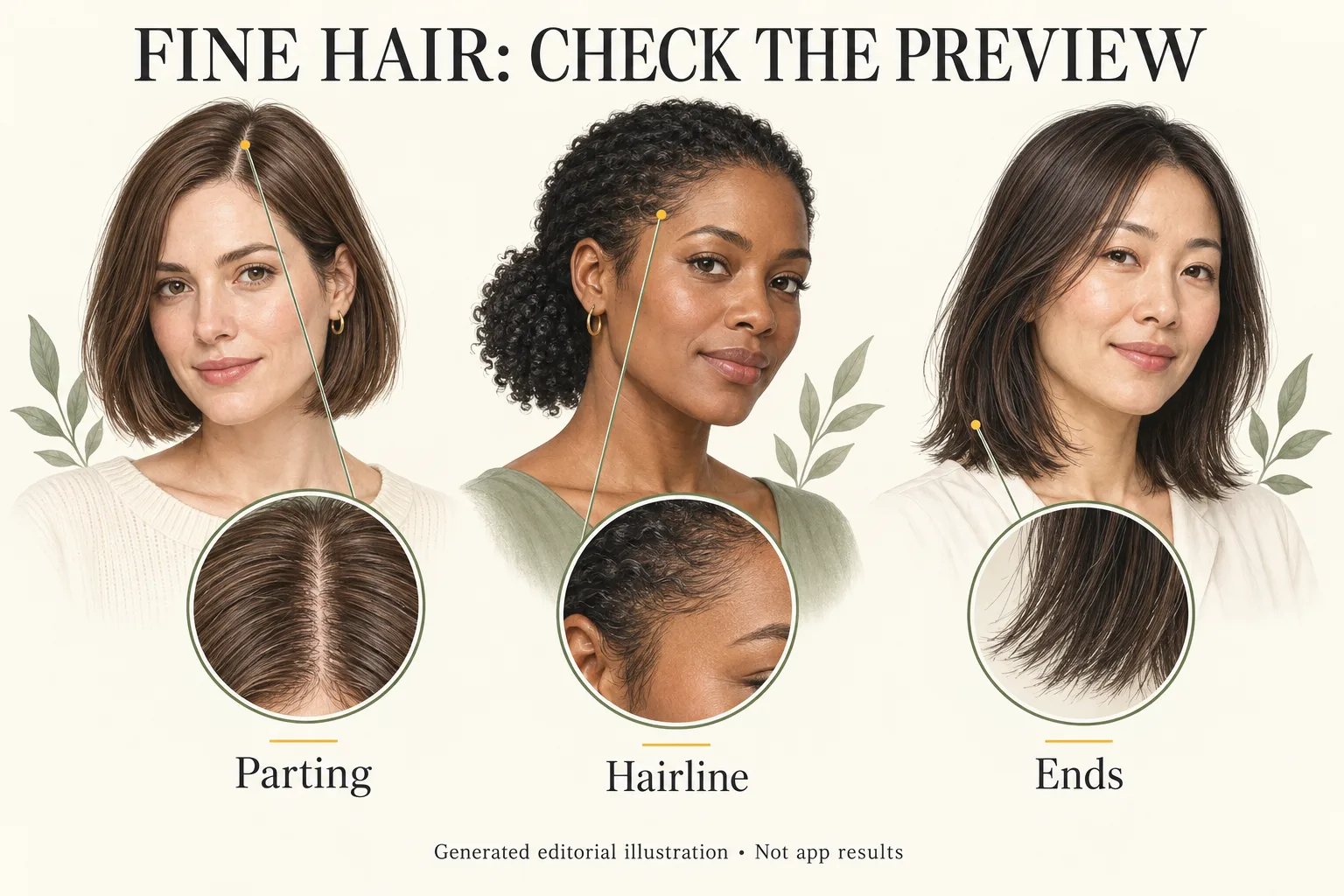
Generated editorial illustration, not Naee output, an app screenshot or an actual haircut result.
This guide is a visual fidelity checklist, not a catalog of haircuts or a test of which app handles fine hair best. It helps you separate “I like this length” from “my hair will look exactly this full.”
Publisher disclosure: This is the Naee blog. We have a commercial interest in Naee, and we have not conducted an independent fine-hair accuracy benchmark. Product descriptions below are attributed to official sources, not hands-on comparative testing.
Contents
- Fine strands and density are different
- Set up a fair photo comparison
- The fine-hair preview fidelity checklist
- A hypothetical bob-versus-longer comparison
- What Naee can and cannot tell you
- Turn a preview into a useful salon brief
- FAQ
Fine strands and density are different
Fine describes the diameter of an individual hair strand. Density describes how many strands grow across an area. Fine strands can be closely packed, widely spaced or somewhere between. The terms are not interchangeable, and neither tells you which exact haircut will work from a selfie alone.
A preview may change both without making the change obvious. It might replace delicate, separated ends with a solid curtain of hair. It might add thick-looking strands around the temples or cover a part that was visible in the original photo. That can create a more substantial silhouette, but the generated pixels do not establish that you have that amount of hair.
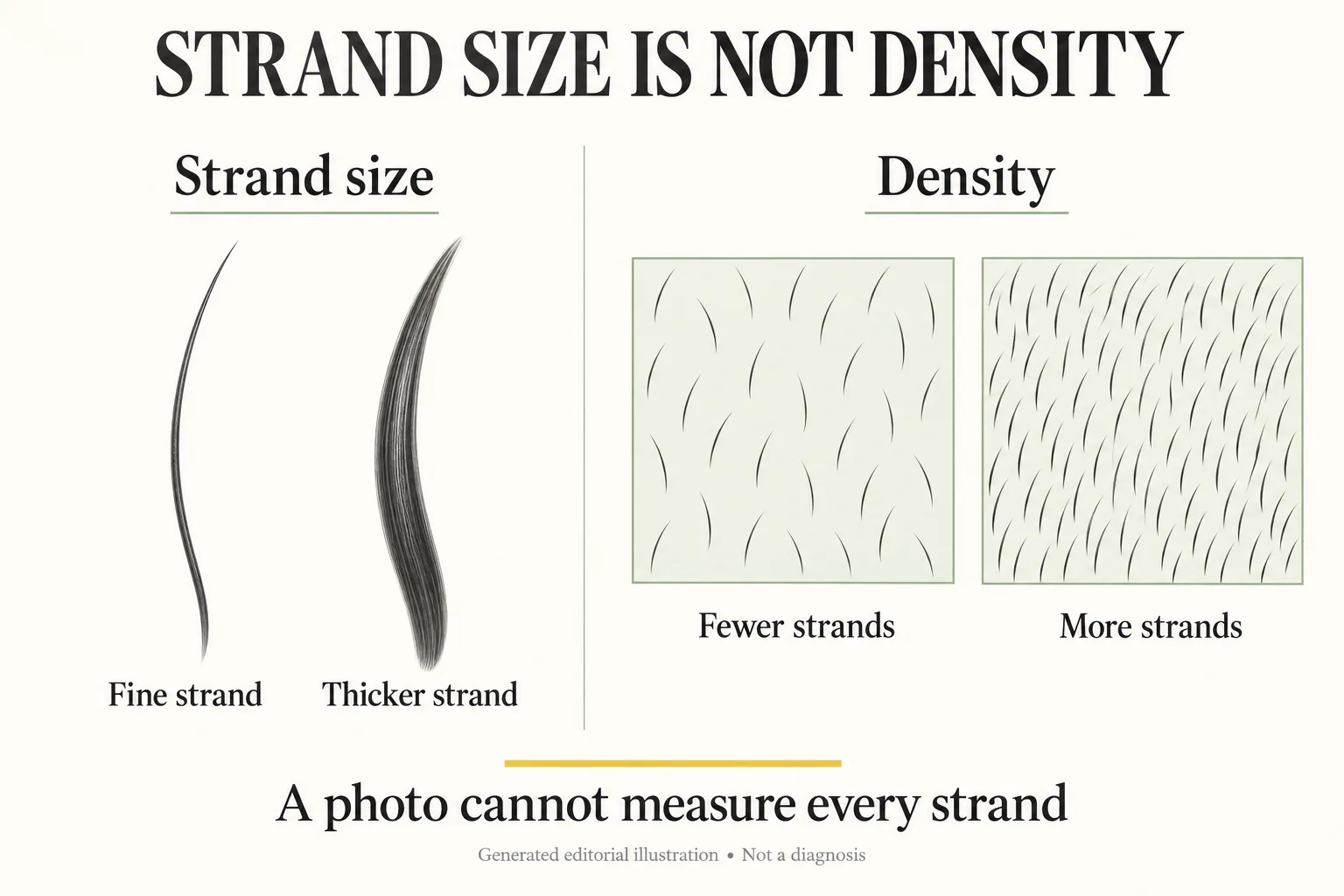
Generated editorial illustration. These conceptual diagrams are not measurements of a person's hair or app analysis.
There is another distinction worth keeping: volume is a shape, not a count of strands. A lifted crown, a rounded blowout or a change in parting can alter how full hair appears. So can lighting, color contrast and the viewing angle. An image cannot tell you how long that lift would last, whether you would need heat tools, or how the cut would move when you walk outside.
For the wider haircut decision, our guide to choosing a hairstyle for fine hair separates silhouette, texture and routine. Here, the question is narrower: what did the generator preserve, and what did it invent?
Set up a fair photo comparison
Start with one clear, unfiltered photograph that represents your usual hair, rather than a special-occasion blowout. Use even light and keep the hairline, part and ends visible. Strong backlighting can make the ends appear more transparent; a dark background can hide dark hair. Neither gives you a reliable reference for judging added fullness.
The official Naee website recommends clear photos, natural even lighting, a plain background and avoiding heavy filters or obscured hair. Those are input recommendations from the publisher, not proof that every resulting preview preserves fine strands.
Keep the original image beside each candidate at a similar display size. Do not compare a zoomed-in preview with a tiny original. Compare the same crop first, then inspect close-ups. You are checking visible differences, not calculating a density score.
For a useful two-option exercise:
- Keep the source photo, color and part direction the same.
- Request one chin-length bob and one collarbone-length option.
- Describe a modest, everyday finish rather than glamorous volume.
- Save the original and both previews together.
- Record what changed beyond length before selecting a favorite.
A prompt can state an intention, but it cannot guarantee compliance. “Keep my natural hairline and visible part; use modest volume and fine-looking texture” is a useful request when the tool accepts instructions. Still inspect whether the image follows it.
Avoid changing cut, color, bangs, texture and volume simultaneously. A lighter color may change the contrast at the part; bangs may hide the original forehead edge. If everything changes, you cannot easily identify why the new image feels more flattering.
The fine-hair preview fidelity checklist
Use the following checks in order. A preview can be useful for one feature and unreliable for another. Keep the length idea if it helps, but label any questionable fullness instead of treating the whole image as a prediction.
| Area | Compare with the original | A reason to question the preview | What to do next |
|---|---|---|---|
| Hairline and temples | Position, shape and visible gaps | A lowered forehead edge or newly filled corners | Set aside the altered edge when judging the cut |
| Parting | Direction, visible scalp and lighting | The part disappears while the part direction stays the same | Request a less filled-in version, or annotate the limitation |
| Crown and sides | Root lift and distance from the head | A much larger silhouette without an explained finish | Ask what styling would be needed to create that shape |
| Ends and perimeter | Separation, transparency and outline | Light ends become a thick, perfectly opaque band | Discuss the dry perimeter with your stylist |
| Strand texture | Fine pieces, bends and flyaways | Natural fine texture becomes glossy uniform ribbons | Judge length separately from generated texture |
| Face and ears | Forehead, jaw, nose and ear positions | Changed facial proportions make the haircut look better | Do not use that image to judge facial framing |
Hairline and parting: keep the reference visible
Begin at the forehead and temples, where added hair can change the apparent frame of the face. If the generator fills a corner, extends the hairline or introduces a heavy fringe, the style may look different for reasons unrelated to the cut's length. This is especially important when deciding whether to keep your current part.
Visible scalp is a comparison cue, not a diagnosis. It changes with light, hair placement, wetness and angle. Do not infer your actual density from one bright line in a selfie, and do not interpret an erased line in a preview as an improvement your haircut will deliver.
Crown and ends: question the extra material
Check the crown separately from the perimeter. A bob illustration can show a neat line while also adding a lifted dome at the roots. Ask yourself whether you like the line, the lift or both. Only the first may be the part you are actually choosing.
At the ends, look for changes in how much background shows between strands. A new length legitimately changes which section of hair forms the perimeter, so some difference is expected. But the picture still cannot establish how substantial that line will be on your own dry hair. An unusually solid edge is a consultation question, not evidence of a guaranteed outcome.
Texture and face: do not let polish distract you
Fine strands do not have to look messy, and smooth hair is not automatically unrealistic. The issue is whether the preview replaces your normal texture with a different one. If your everyday hair has gentle bends, inspect whether the candidate depends on a perfectly straight, glassy finish.
Finally, check the face. A narrower jaw or shorter forehead can change your response to the same hairstyle. Our face-preservation checklist for AI hairstyle previews explains how to isolate those differences. A hair image that changes your face should not be the sole basis for choosing face-framing length.
A hypothetical bob-versus-longer comparison
This is a worked planning example, not a real user result or a Naee test. Imagine Maya, who has fine, slightly wavy strands and currently wears her hair just below the shoulders. She wants a clearer perimeter, needs to clip some hair back at work and usually spends about ten minutes styling. These details are fictional constraints, not findings about fine-haired users.
She uses the same ordinary-day photo for two candidates: a chin bob and a collarbone cut. The bob preview has a crisp edge, but its temple coverage is fuller and its crown is rounder than the original. The longer preview keeps a visible part, but turns her gentle bends into polished waves.
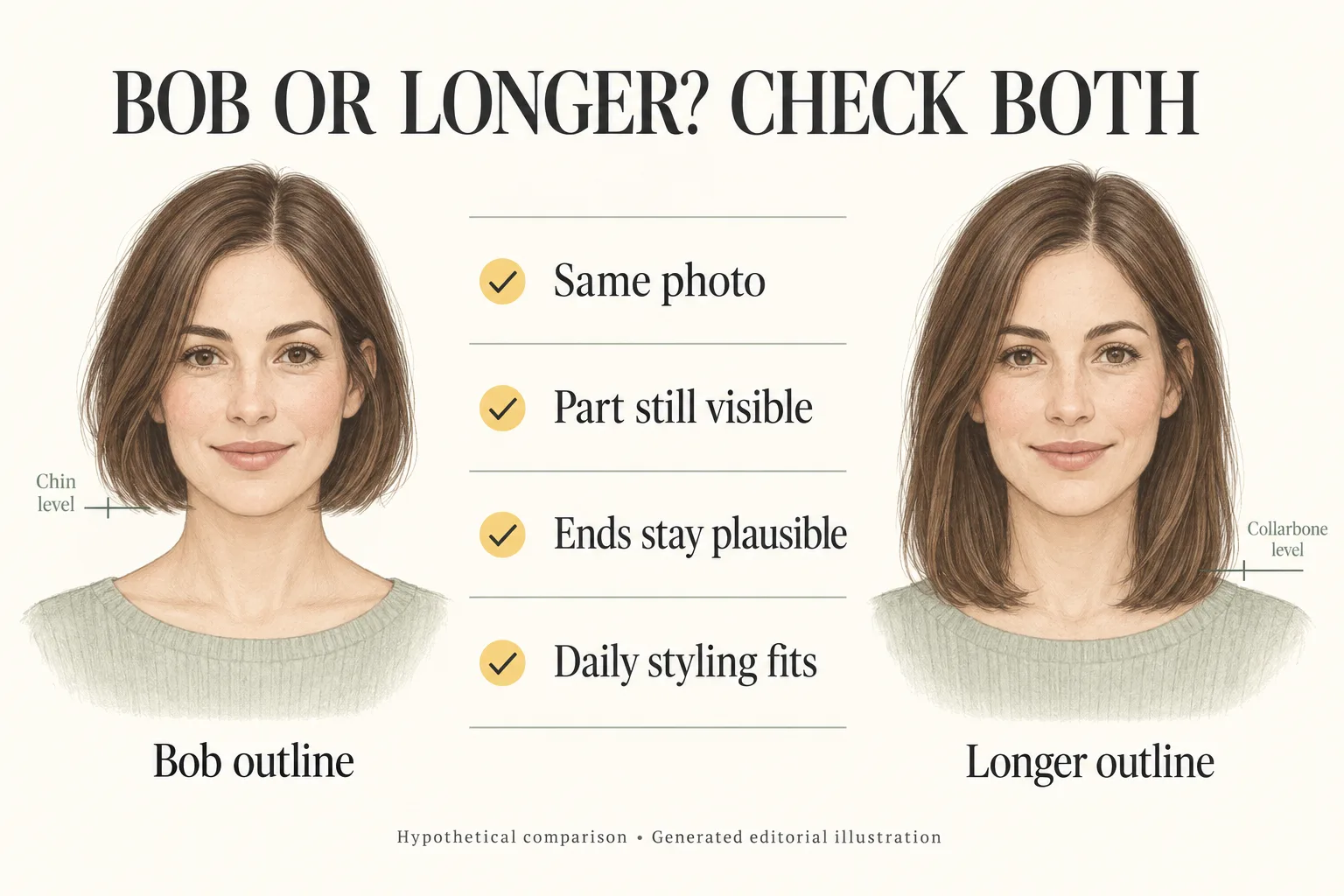
Generated editorial illustration of a hypothetical comparison, not real before-and-after photographs or app results.
Maya does not conclude that the bob is impossible or that the longer style is accurate. Instead, she breaks down the decision:
- Bob: She likes where the endpoint meets her chin. She marks the added temple fullness as uncertain and asks whether the perimeter could look connected without the pictured crown lift.
- Longer option: She likes the retained length for clips. She marks the polished wave as a styling assumption and asks to see the idea with a simpler finish.
- Both: She checks whether her face stayed recognizable and whether the part moved. Any altered facial proportions are excluded from the comparison.
Her shortlist becomes two length ideas with notes, not two promised outcomes. She brings her original photo alongside the previews so the stylist can distinguish her real starting point from the illustrated direction.
If your decision centers on a bob, the existing bob haircut guide for fine hair helps you ask about perimeter, graduation and dry shape. It does not convert an AI image into a feasibility assessment.
What Naee can and cannot tell you
The current Naee App Store listing describes own-photo haircut and color previews, face-shape suggestions and Stylist Mode. The official website also describes copying style cues from reference photos and saving favorites for a salon discussion. These are useful ways to explore an outline or communicate a direction.
We have no verified fine-hair fidelity benchmark or evidence that Naee measures hair density. A face-shape suggestion is not a density assessment. A plausible rendered cut is not proof of how many strands you have, how much weight your perimeter can carry or what daily finish your hair will hold.
The website itself says previews are not guaranteed exact matches to salon results and can vary with photo quality, lighting and texture. There is also an April 9 review on the listing reporting changed facial features, with a developer response acknowledging the concern and offering to investigate. That is a reported experience, not a known frequency or proof that the behavior remains in the current version. It is a reason to inspect your own output, not a basis for a sweeping accuracy claim.
Check the purchase screen before planning many variations. The listing describes a limited-credit trial and subscriptions or credit purchases for continued generation. We do not verify an exact current free allowance here. Two carefully chosen length directions can be more useful than spending credits on many increasingly voluminous variations.
Turn a preview into a useful salon brief
A strong salon brief separates preference from assumption. Write one sentence about the shape you want, then name anything the generator changed that you do not want to rely on.
For example: “I like this chin endpoint and simple perimeter. The picture adds fullness around my temples, which I do not want to assume my hair has. Can you adapt the shape to my real texture and show me the low-styling version?”
Bring this short checklist:
- The unedited source photo and no more than a few annotated candidates.
- Your preferred dry endpoint and the part you normally wear.
- Whether keeping clip-back or tie-back length matters.
- Your realistic daily styling time and tools you actually use.
- Questions about the perimeter without the generated extra volume.
- A request to discuss the shape on your real hair, not just the image.
The common mistake is choosing the fullest image and treating it as the most accurate one. Another is rejecting every preview because one detail is wrong. You can retain a useful endpoint or fringe direction while explicitly discarding invented fullness. If the image changes too many features to isolate the cut, stop using it as a decision aid.
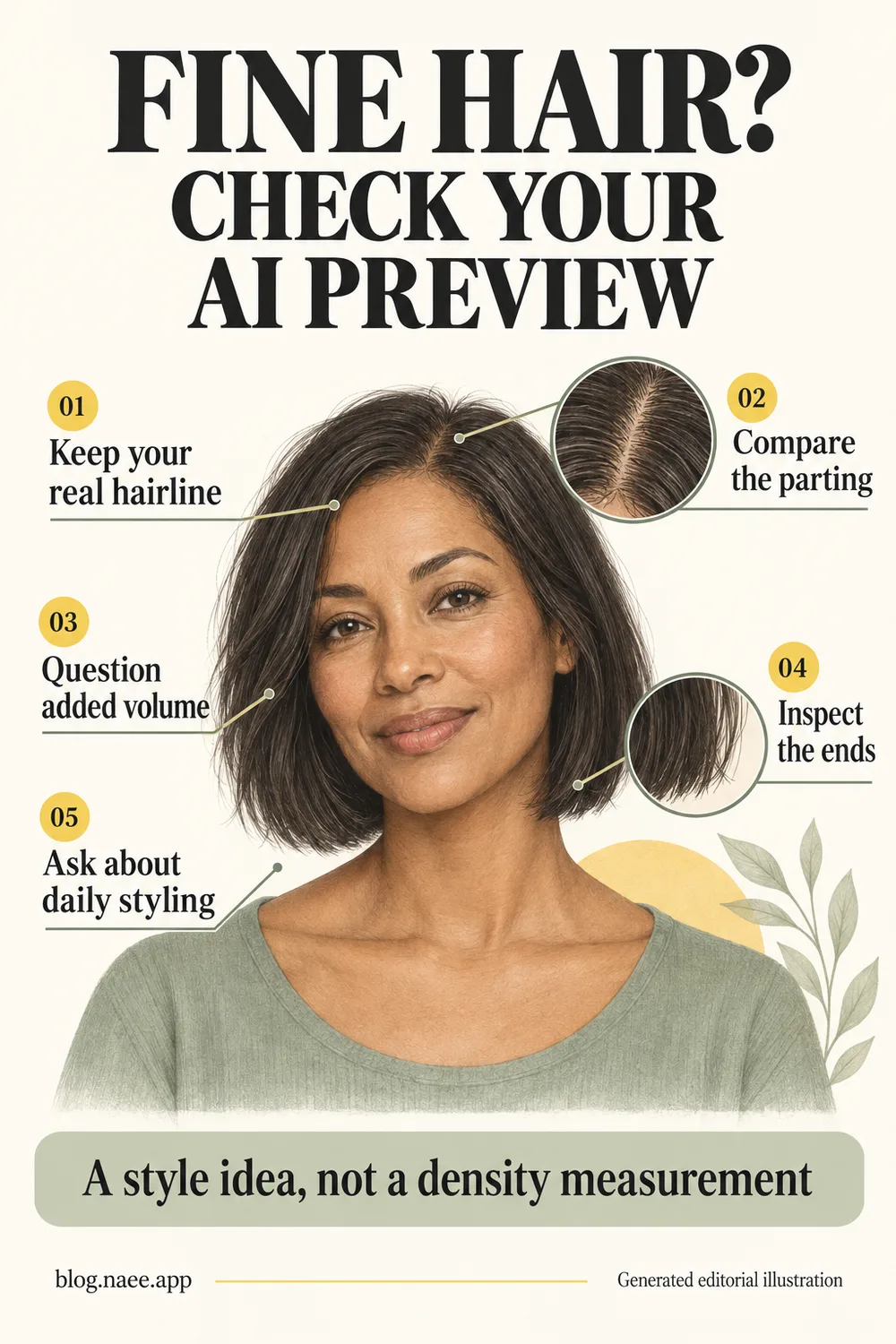
Generated editorial illustration, not an app result. Download the full-resolution Pinterest checklist.
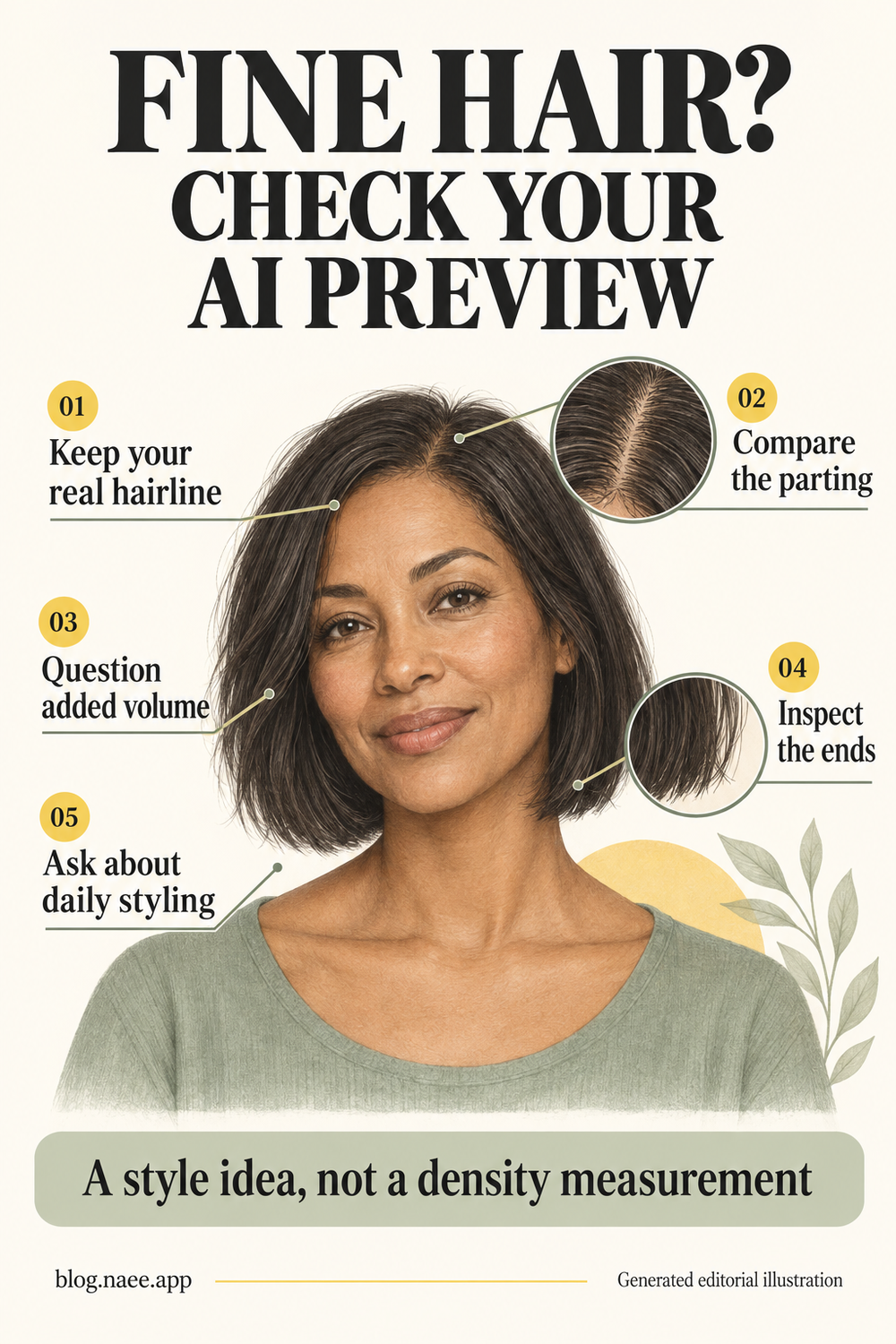
The takeaway: Use the preview to choose what to discuss, not to certify what your hair can do. If you want to explore two length directions on your own photo, you can download Naee for iPhone, then apply the same checks before keeping a favorite.
FAQ
Can an AI hairstyle app show a realistic cut for fine hair?
It may produce a useful-looking style illustration, but appearance alone does not establish fidelity to your actual density or texture. Check the original hairline, part, crown and ends. Use the preferred length as a consultation reference, not a promise of salon feasibility.
Does fine hair always mean low density?
No. Fine describes individual strand diameter, while density describes the number of strands across an area. You can have fine strands with more or fewer strands overall. A selfie or generated preview does not measure either precisely.
Why does the preview make my hair look much thicker?
The image may add coverage, hide the part, create more root lift or replace separated ends with a solid perimeter. Those are visible possibilities to inspect, not a verified explanation of a particular model's behavior. Compare the areas separately before judging the whole style.
Should I choose a bob because the preview looks fuller?
Not on that basis alone. Decide whether you like its dry endpoint, outline and practical length. Then ask a stylist how those features could work with your actual density, texture and routine, without assuming the generated fullness is achievable.
Can Naee detect my hair density from a photo?
We have no verified basis for that claim. Official sources describe hairstyle previews and recommendations, not a validated density measurement. Treat the image as an idea and have styling feasibility assessed on your real hair.