
AI Haircut Previews: Is It Still Your Face?
A photorealistic hairstyle preview can still be misleading if it changes your face. Before trusting bangs or a bob from a realistic hairstyle app, compare your eyes, nose, jaw, ears, forehead and hairline with the original photo. Reject a preview as a personal fit reference if those features have changed: attractive hair on an altered face does not answer how the haircut will look on you.
There is no independently verified unchanged-face guarantee in the sources used for this article. The useful approach is to assess each output, not assume that a realistic label, polished screenshot or positive review establishes identity preservation.
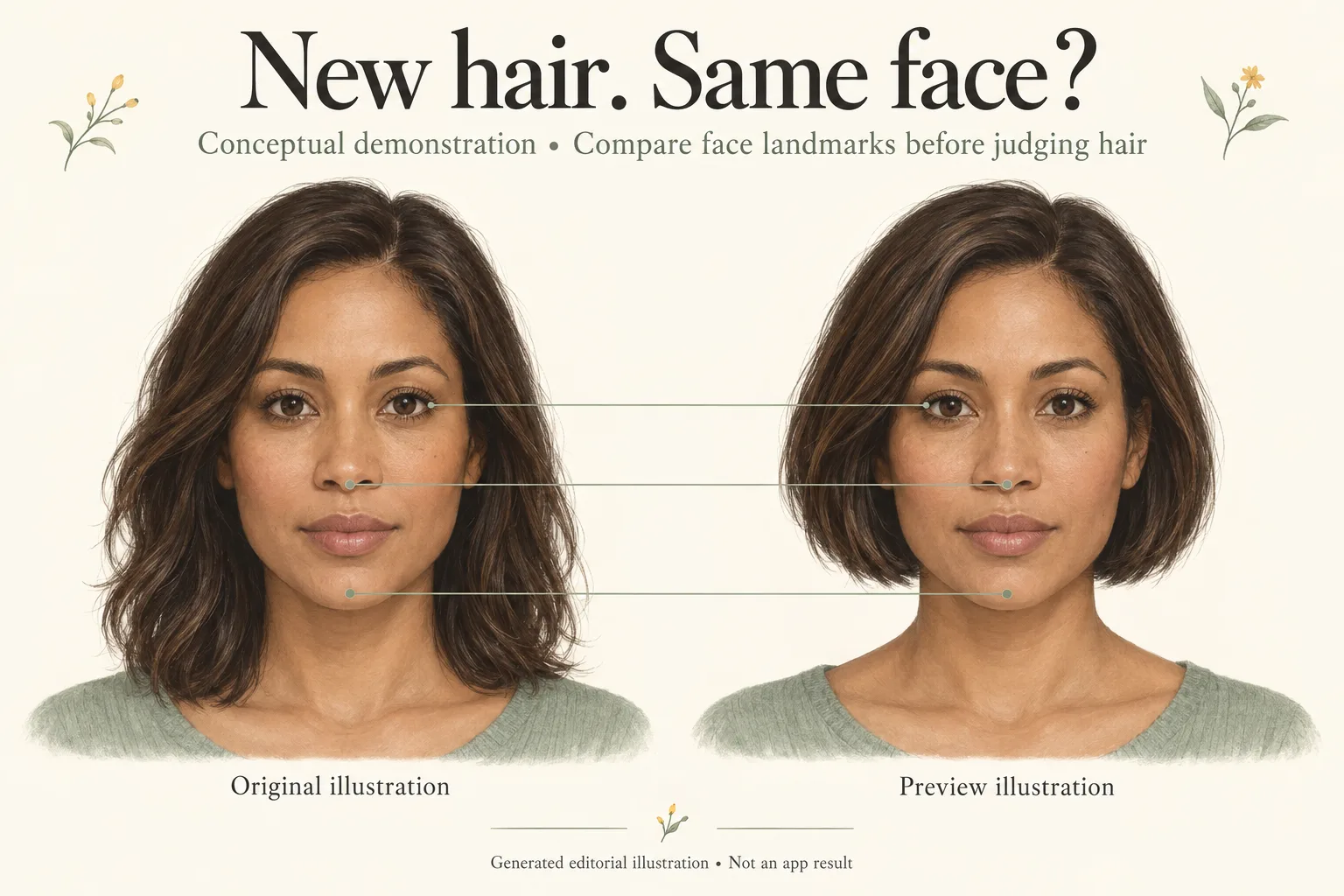
Generated editorial illustration, not a real person’s before-and-after, Naee output, app screenshot or performance test. All visual demonstrations in this article are illustrations.
Publisher disclosure: This is the Naee blog. We have a commercial interest in Naee, so its official feature descriptions below are not an independent recommendation or a hands-on accuracy ranking. Sources were checked on October 4, 2026.
In this guide
- Realistic hairstyle previews and identity are different checks
- Compare the original and preview in six places
- Use one consistent selfie and one hair change
- A worked example: choosing bangs or a bob
- What to do when a preview changes your face
- Your final face-check checklist
- FAQ
Realistic hairstyle previews and identity are different checks
A preview can have convincing strands, soft shadows and a believable salon finish while giving you a narrower jaw or a smaller nose. That is the key distinction: realism asks whether the picture looks plausible; identity preservation asks whether it still depicts your features. Neither proves that your real hair will behave like the generated hair.
This concern is documented in individual reviews, not just a hypothetical objection. In a Naee App Store review, displayed as April 9 and written by wild.poppies, the reviewer said it “changes features instead of just hair,” including their nose and forehead. The developer response acknowledged the importance of preserving natural features and invited the reviewer to contact support so the deviation in their photos could be investigated.
That exchange establishes a reported experience and a response. It does not establish how often deviations occur, whether the same problem remains in the current version, or whether it has been fixed. A developer’s willingness to investigate is not the same thing as a published accuracy result.
HairTry’s App Store reviews describe related historical experiences: a March 6, 2025 review by myreviewsname reported an elongated, thinner jawline; a February 23, 2025 review by Wikisz complained about changed ears and eyebrows. These anecdotes justify checking those regions. They are not a current comparison between HairTry, Naee or other apps, and cannot establish a universally most realistic option.
Naee’s current listing describes own-photo hairstyle previews, face-shape suggestions and Stylist Mode. Its official website also describes reference-photo support. Those are capabilities to consider, not evidence that every generation preserves your face. For a broader product-selection checklist, use our AI hairstyle try-on guide.
Compare the original and preview in six places
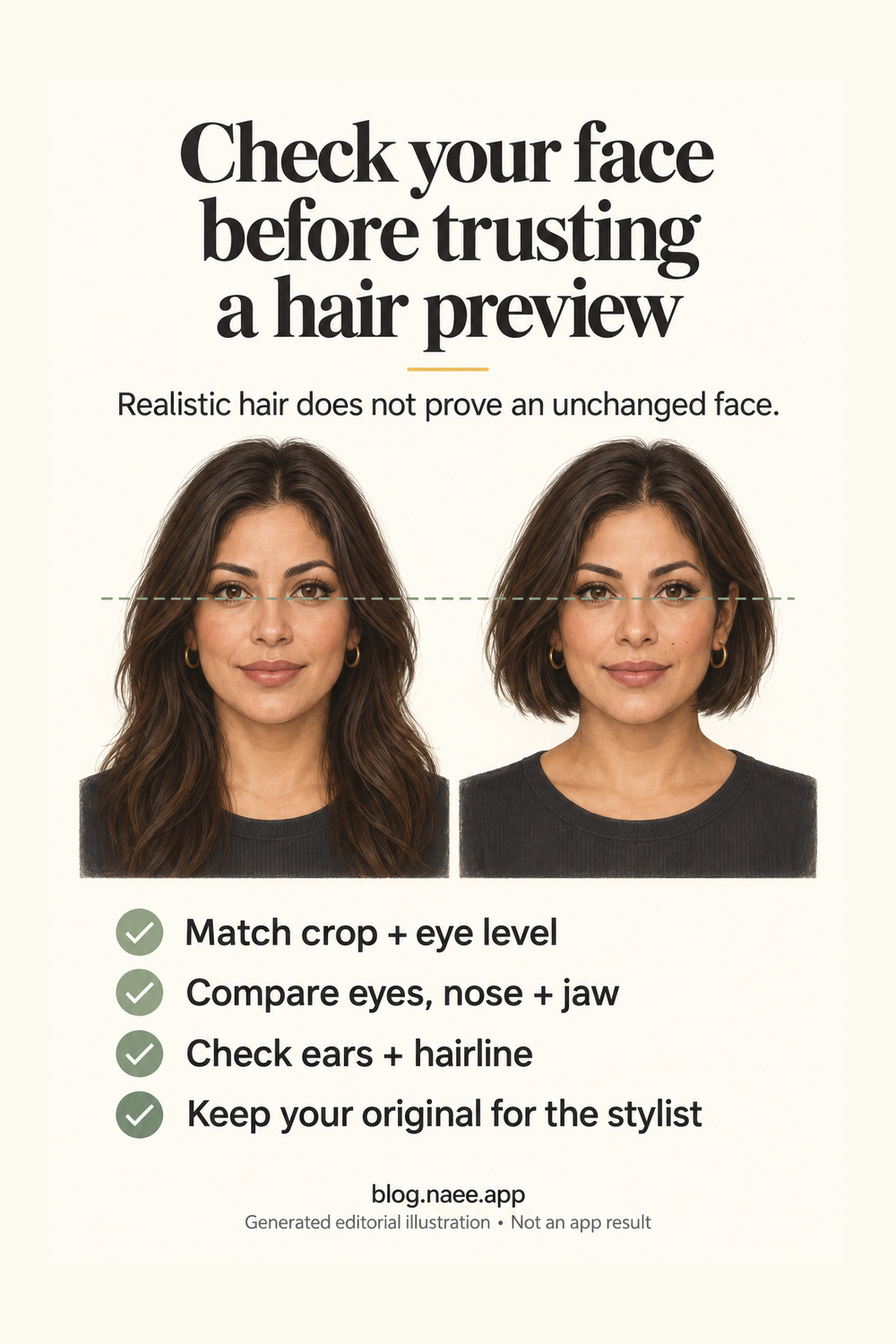
Open your original photo beside the saved preview. First make the faces a similar displayed size and line up the eyes. If one image is zoomed in, a normal face can appear broader or narrower simply because the surrounding frame changed. Do not stretch either image to force a match: that could hide the distortion you are trying to find.
Check the outline of the shoulders, the head angle and how much forehead is visible. A changed crop is not automatically a changed identity, but it can make a side-by-side haircut judgment unreliable. If you cannot obtain a comparable view, treat the output as general inspiration rather than a personal fit reference.
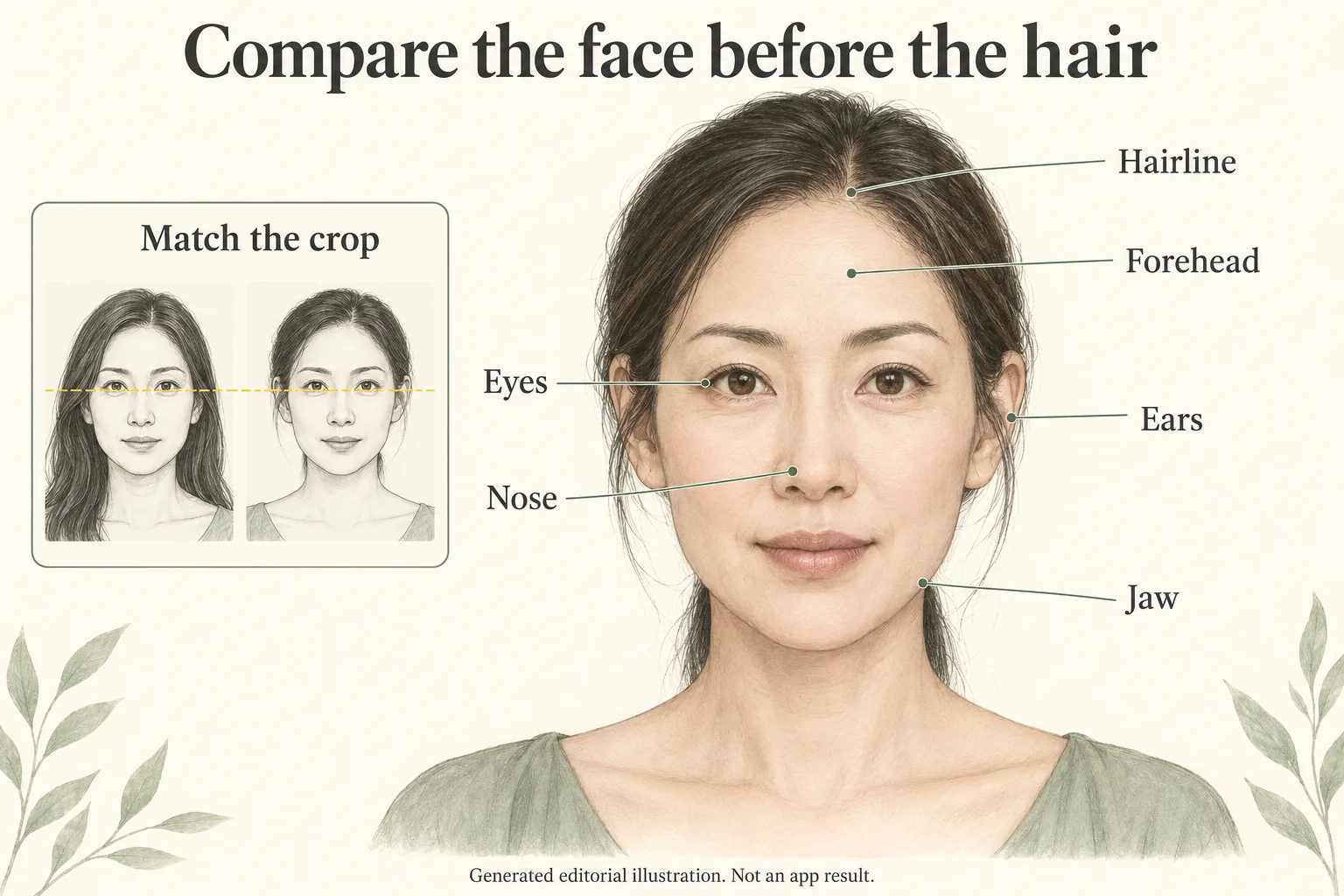
Generated editorial illustration showing where to look. These guides are not biometric measurements, automated detection or actual app results.
| Region | What to compare | What may simply be a hair effect |
|---|---|---|
| Eyes and eyebrows | Eye spacing, eye shape, eyelid outline and brow position | A fringe can hide part of a brow without moving it |
| Nose | Bridge, tip, nostril shape and width relative to the eyes | A different hair color can change surrounding contrast |
| Jaw and chin | Chin length, jaw corners and visible facial outline | A bob may cover a jaw corner rather than reshape it |
| Ears | Visible outline, position and recognizable details | Tucked hair may expose an ear previously hidden |
| Forehead | Space between brows and the visible hairline | Bangs can cover forehead skin without shortening the forehead |
| Hairline | Visible temple corners, part origin and root boundary | A new part changes visible hair placement, not your underlying growth pattern |
For bangs, pay special attention to the difference between covering the forehead and moving the hairline. A realistic fringe can legitimately obscure the original boundary. That means the boundary is uncheckable in that preview, not that it has passed the check. Use the uncovered original when discussing fringe length with a stylist.
For a bob, separate hair silhouette from face outline. If the generated hair ends at the chin, it can frame the jaw differently. Look at any still-visible cheek, chin and jaw skin instead of judging the total outer silhouette, which includes the hair.
Background lines, earrings and clothing can provide extra context. A bent doorframe or a changed earring is a reason to inspect nearby edges more carefully, not proof that the face must be wrong. Likewise, an unchanged background does not prove an unchanged face.
Use one consistent selfie and one hair change
Choose a sharp, front-facing photo in even light, with an ordinary expression and no beauty filter. Include the full top of your head, chin and enough shoulders to understand the proposed length. Avoid sunglasses, hats and hair covering every facial landmark. You do not need a studio portrait; you need an image you can compare sensibly.
Keep that same original for the first set of previews. Start with a single change, such as adding curtain bangs while leaving length and color alone. Then try a bob at the original color. If you change cut, color, facial angle and makeup together, it becomes harder to tell what caused your preference.
Where an app accepts text instructions, be explicit: “Show a chin-length bob in my current hair color. Keep the face, expression, lighting and camera angle unchanged.” That is a request, not a guarantee. Examine the result even when the prompt includes every safeguard you want.
Do not upload another person’s private photo without permission. Your original is a personal photo, so review the app’s privacy information before using it and share only what is needed. This article evaluates how to inspect an image, not the security of a service or whether a deletion claim has been independently audited.
If the first photo hides the relevant area, use a second consented photo with a clearer view. Do not compare a front-facing original directly against a three-quarter portrait as if they were identical conditions. Keep each preview paired with the actual photo that produced it. Our guide to choosing a hairstyle with AI covers the separate questions of texture, maintenance and salon feasibility.
A worked example: choosing bangs or a bob
The following is a hypothetical selection example, not a real Naee test or customer result. Imagine Maya, 38, has shoulder-length hair and wants to choose between curtain bangs and a chin-length bob. She uses one evenly lit, front-facing photo and keeps her current brown color in both requests.
She labels the original “O” and the two saved ideas “Bangs” and “Bob.” She displays all three at similar face size, aligning eye level without reshaping the images. This gives her two independent questions for each idea: does the visible face still resemble the original, and does she like the hair direction?
In the hypothetical bangs image, her nose, eye spacing and visible chin look consistent, but the fringe hides the hairline. Maya can use it to discuss fringe width and where the sides fall. She cannot use the covered region as proof that her forehead or hairline was preserved.
In the hypothetical bob image, she loves the cut but notices a pointed chin and narrower visible jaw than in O. She rejects it as evidence of how the bob suits her face. She keeps the concept “chin-length, softly rounded ends” in a written note and finds a separate haircut reference, instead of sending only the altered portrait to a stylist.
| Hypothetical option | Face check | Useful takeaway | Decision |
|---|---|---|---|
| Curtain bangs | Visible landmarks seem consistent; hairline is hidden | Discuss fringe width and side lengths | Keep as an idea, alongside the original |
| Chin-length bob | Visible jaw and chin differ from the original | Rounded bob shape is appealing | Reject as a personal fit reference |
Maya then asks a stylist whether either idea works with her normal styling time and natural texture. The preview helps describe a preference; it does not establish what her hair can achieve without styling. If you are considering a bob, our bob haircut guide for fine hair offers vocabulary for discussing ends, layers and fullness, rather than treating generated volume as proof of your own density.
What to do when a preview changes your face
Stop using that output to decide whether the cut flatters you. Do not repair the nose or jaw with another beauty editor and call the result accurate: each additional edit creates another image whose fidelity you would need to assess.
If you want to make another attempt, change one useful input, such as a clearer original or a simpler hair request. Before spending credits, check the current in-app offer. Naee’s listing describes a limited-credit trial and subscriptions or credit purchases for continued generations; it does not establish an unlimited free retry allowance. Repeated purchases are not a sensible substitute for rejecting unreliable outputs.
You can report the issue to the app’s support team. Describe the changed region, the requested haircut and which original was used. Follow the support instructions and consider what you are comfortable sharing before attaching personal photos. Naee’s developer response invites contact at [email protected], but it does not promise a particular investigation outcome.
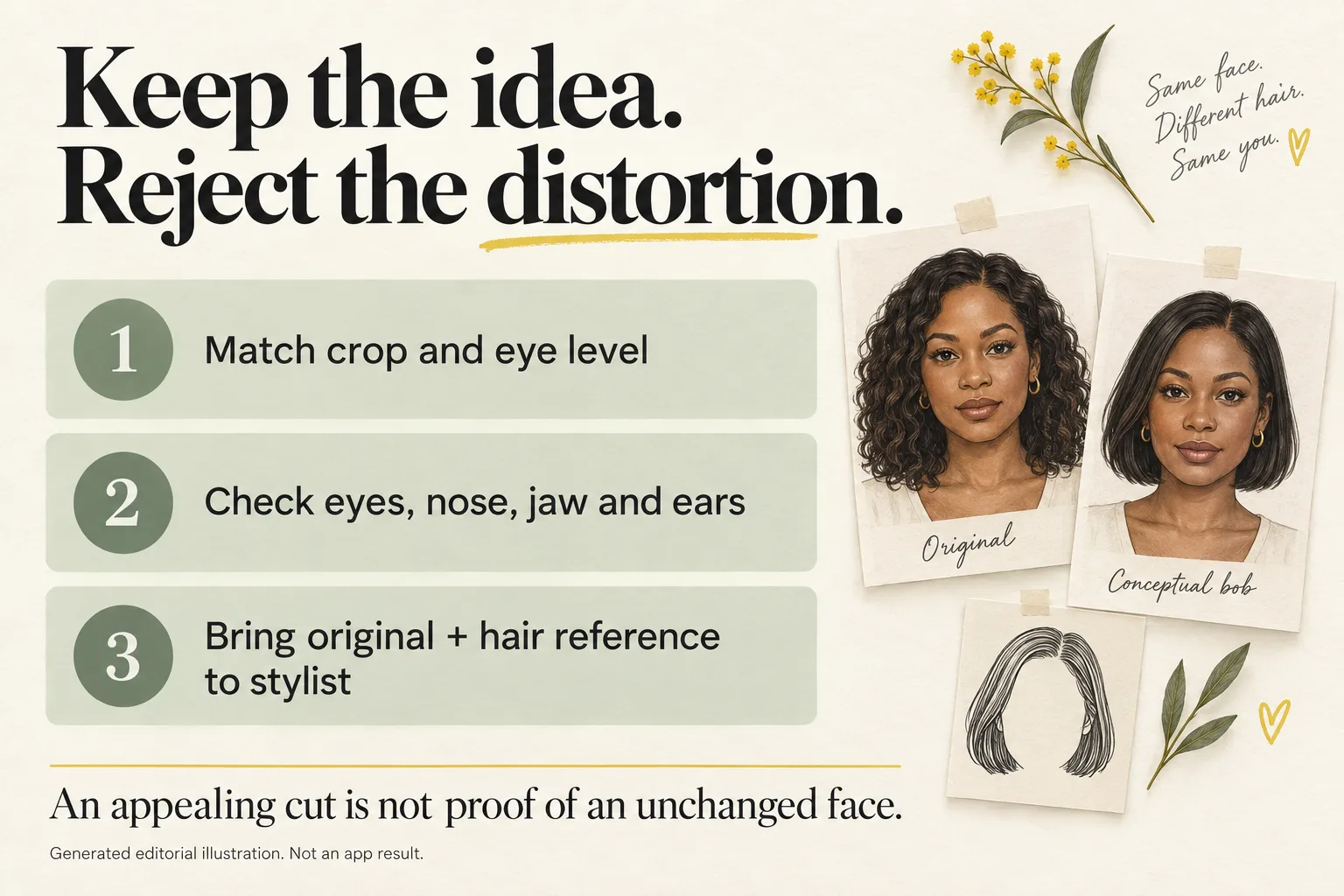
Generated editorial illustration, not an app workflow screenshot or demonstrated result. The lesson is to preserve your original reference, not to assume software preserved it for you.
For the appointment, bring three distinct items when useful:
- Your original photo: the actual face and hair your stylist should consider.
- A haircut reference: the shape, fringe or length you want to discuss.
- A clearly labeled concept preview: optional, with any suspected changes pointed out.
Say, “I like this hair shape, but this preview changed my jaw, so please use my original for my proportions.” If a preview is too distorted to communicate the idea clearly, leave it out. You can discuss framing without relying on a rigid face-shape rule; our hairstyles-by-face-shape guide provides background, not a compatibility score.
Your final face-check checklist
Before saving a favorite as a salon reference, run this short check:
- Are original and preview shown at similar size, crop and eye level?
- Do the visible eyes, nose, jaw, chin and ears still match the original?
- Is the forehead actually unchanged, or merely hidden by bangs?
- Are hairline and temple details visible enough to judge?
- Am I choosing the hair rather than smoother skin, different makeup or altered features?
- Can I explain the idea to a stylist with my original alongside it?
An appealing image can still be a bad decision aid. Keep only what the preview can responsibly communicate: a possible hair direction, with uncertainty about hidden regions and real-world styling.
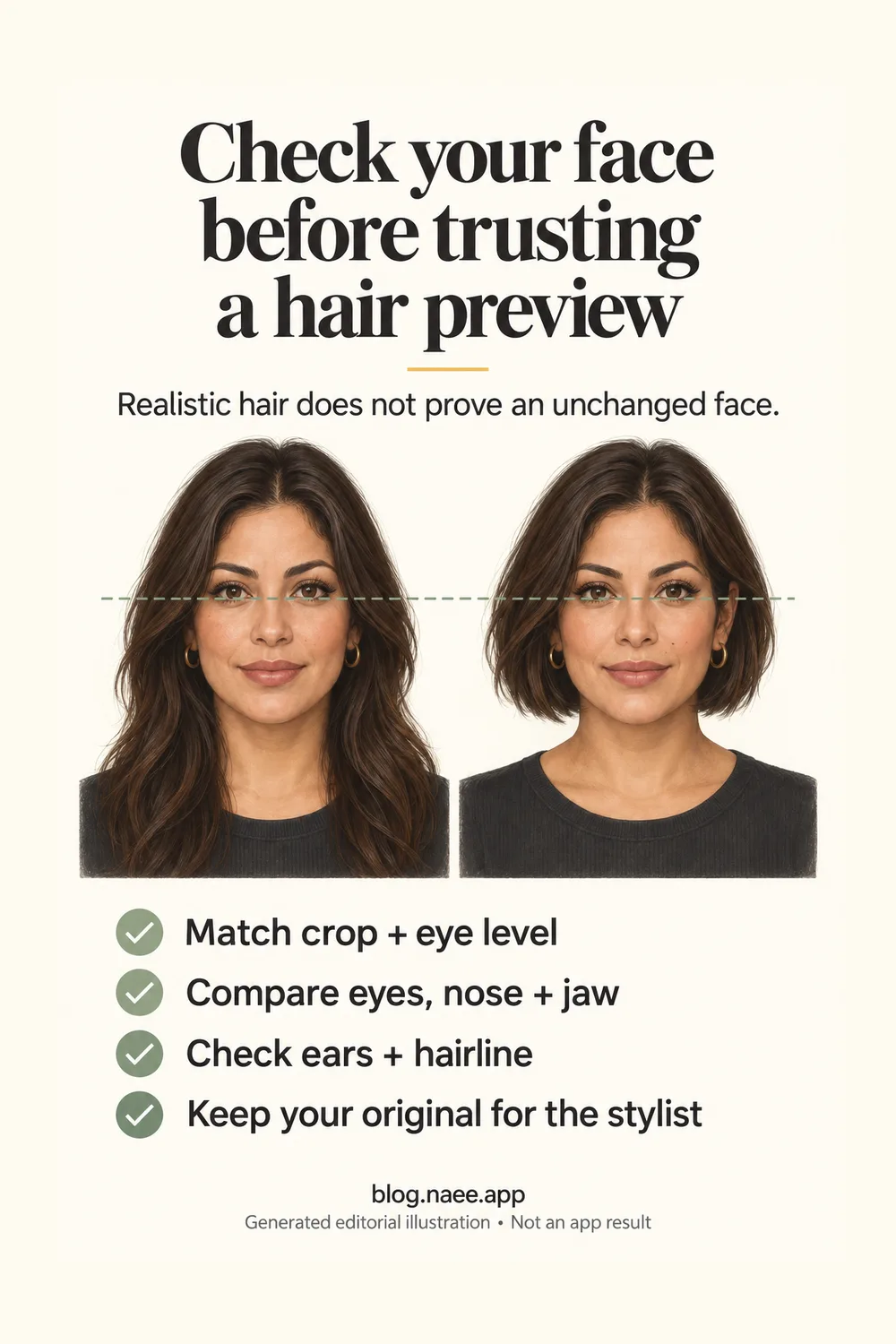
Generated editorial illustration for saving the checklist, not a real preview or evidence of Naee performance. Download the full-resolution checklist PNG.
FAQ
Which hairstyle app lets me try bangs without changing my face?
The reviewed sources do not establish a guaranteed unchanged-face app. Look for own-photo previews and enough access to inspect a result before committing to paid use, then compare visible facial landmarks with your original. A product’s realism claim is not an independent fidelity test.
Does realistic-looking hair mean the preview is accurate?
No. Strand detail and believable lighting concern image appearance. Unchanged visible facial features concern fidelity to your photo. Real-world haircut feasibility is a third check that depends on your actual hair and styling routine.
Can bangs make my forehead look shorter without changing it?
Yes, a fringe can cover forehead skin and change the visible framing. Compare uncovered landmarks first. If the original hairline is hidden in the preview, call it uncheckable rather than assuming it stayed in the same position.
Has Naee fixed the face changes mentioned in its review?
The April 9 review and developer response document a report and an invitation to investigate. They do not establish a verified fix or whether the issue occurs in the current version. Inspect your own output instead of inferring current performance from that exchange.
Should I show an altered-face preview to my stylist?
Not as an accurate picture of how the haircut suits you. If it still explains a useful hair idea, label it as a concept and bring your original and a separate haircut reference. Omit it entirely when the changes make the idea confusing.
Want to explore a haircut idea? Download Naee for iPhone, a free download with in-app purchases and limited trial credits. Check the current offer before paying, and apply the same face check to every preview.