
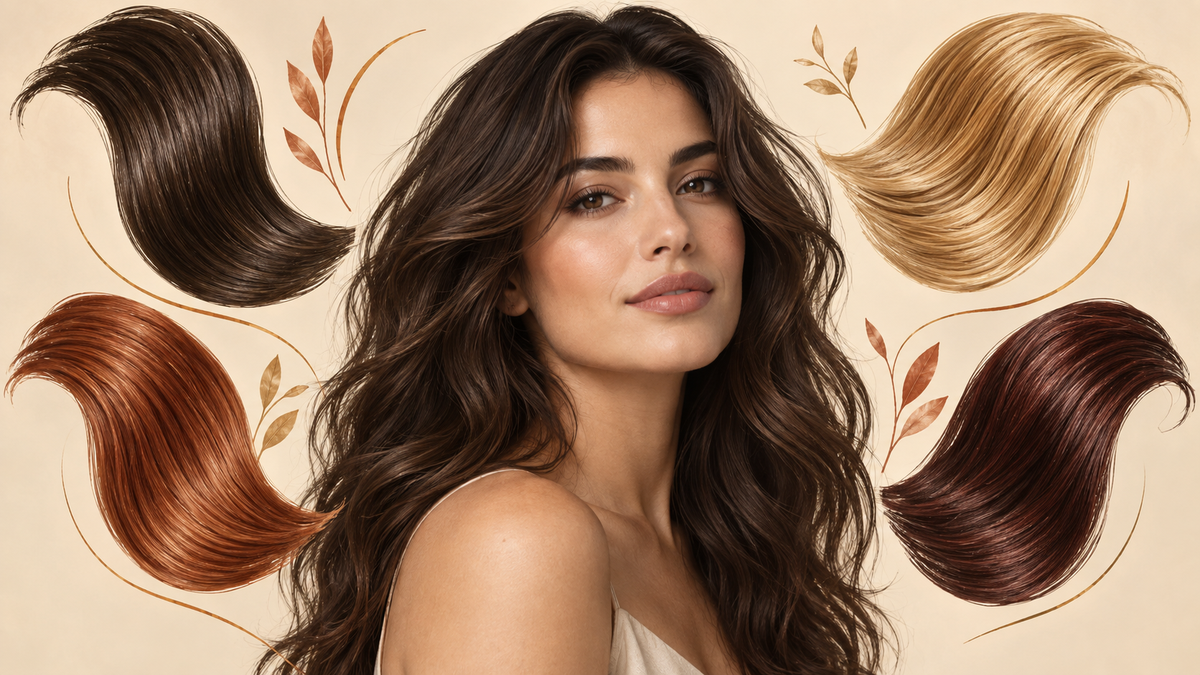
Hair Color Preview: 7 Ways to Try It Before Dyeing
The hardest part of changing your hair color is often not choosing a shade. It is understanding what that shade means on your current hair. A hair color preview lets you compare realistic directions on your own photo before you book a color appointment, buy dye, or commit to a high-maintenance change.
That preview is most useful when you treat it as a decision tool, not a promise. Your current color, hair history, texture, lighting, and the technique used by a colorist all affect the final result. The goal is to leave the preview with two or three clear ideas you can discuss with a professional. If you are deciding on both a cut and a color, the AI hairstyle try-on guide covers the same preview-first approach for length, bangs, and shape.
Table of Contents
- What a hair color preview can actually tell you
- Start with your current hair, not the target shade
- Seven color directions worth comparing
- How to use Naee for a useful hair color preview
- Turn a preview into a salon-ready request
- Common hair color preview mistakes
- FAQ
What a hair color preview can actually tell you
A virtual preview answers a visual question: “How might this color direction change the way my overall look reads?” It can help you compare warmth, depth, contrast, and placement while keeping the face, expression, and general proportions consistent.
For example, a preview can make it easier to see the difference between:
- A deep espresso brunette and a softer chocolate brown
- Golden blonde and cool beige blonde
- All-over copper and copper balayage
- Subtle face-framing pieces and a full-head change
- A natural-looking brown and a vivid fashion color
- A darker root with lighter lengths and one uniform shade
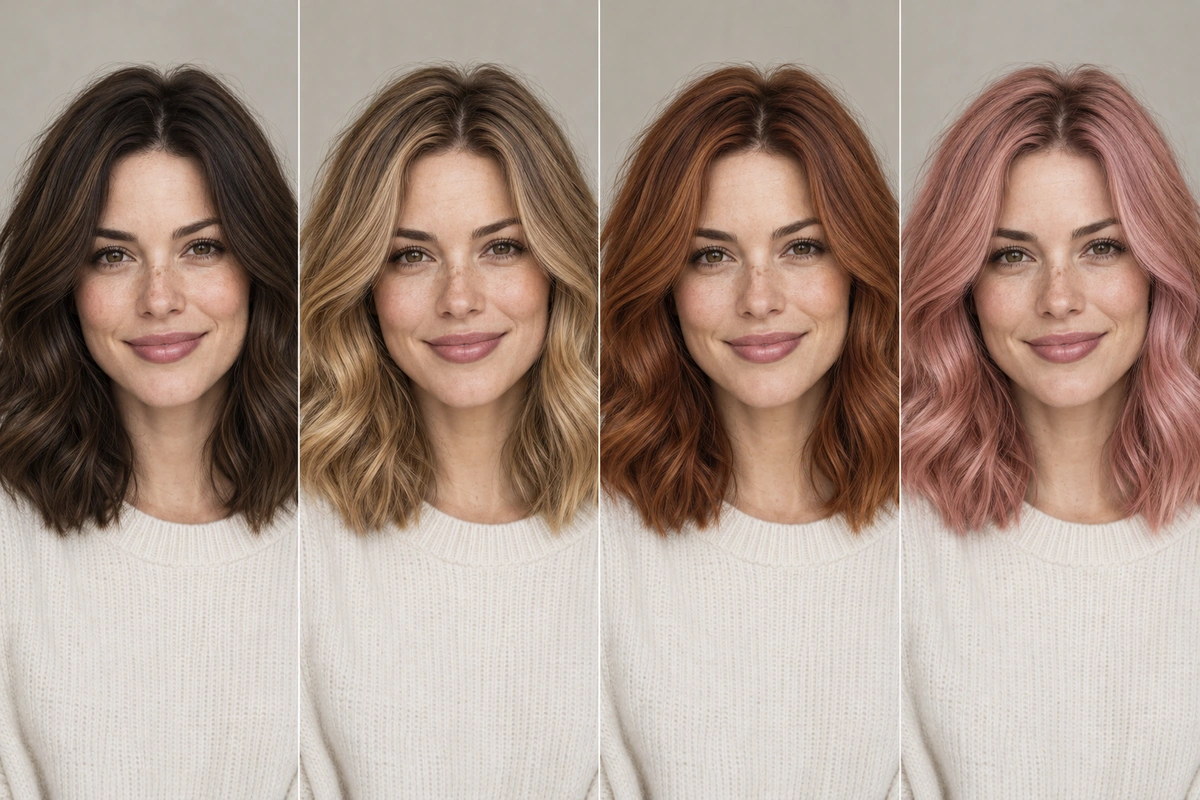
A preview cannot calculate the exact formula a colorist will use. It also cannot confirm whether your hair can safely reach a much lighter shade in one appointment. Use it to choose a direction and communicate clearly, then ask a professional about the process.
Start with your current hair, not the target shade
A common mistake is to begin with a target color as if every starting point were the same. “Honey blonde” on untreated light brown hair is a different project from honey blonde on dark, previously colored hair. The preview can show the visual destination, but your starting point determines the route.
Before comparing colors, note four details:
- Your current level: Is your hair light blonde, medium brown, dark brown, or black?
- Your undertone: Does your current color read warm, cool, neutral, or visibly brassy?
- Your color history: Is it natural, previously dyed, highlighted, bleached, or covered with a vivid shade?
- Your maintenance limit: Are you comfortable with frequent toning, root appointments, or color-depositing products?
This is why a hair color preview should include technique as well as shade. A preview of balayage, highlights, ombré, money pieces, or tips communicates a different commitment from an all-over color, even when the palette is similar.
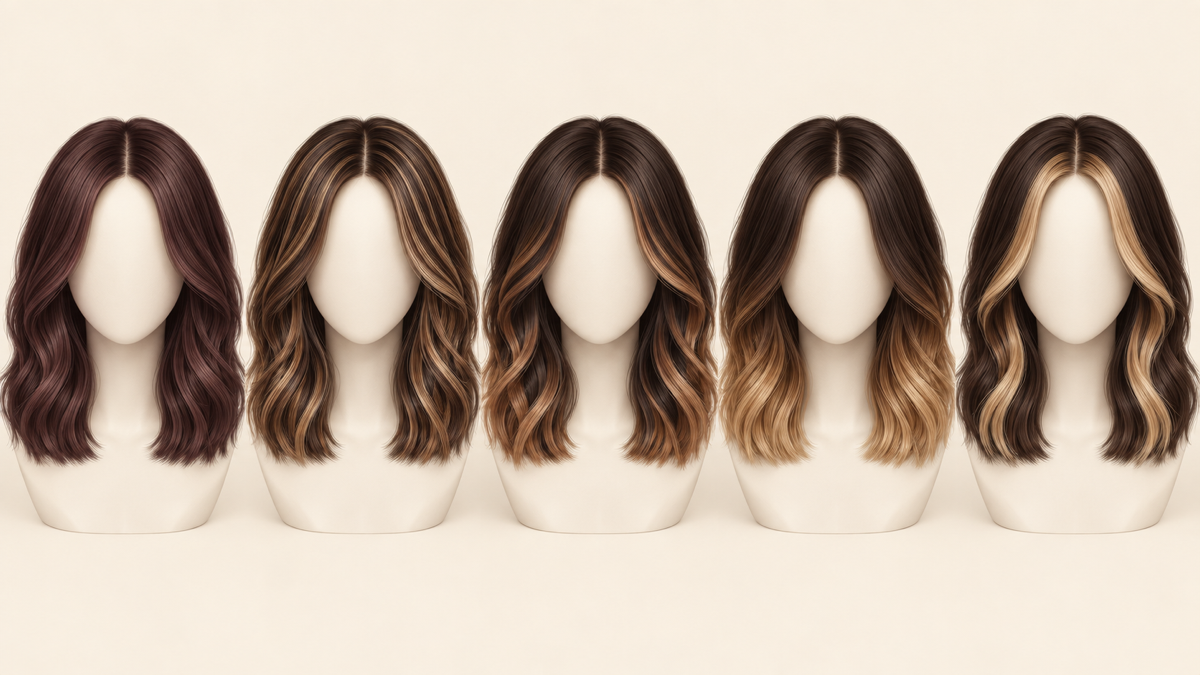
If you are considering a major lightening change, do not treat a preview as permission to do it at home. Show the image to a colorist and ask what can be achieved in one session, what may require multiple appointments, and how your existing color will affect the plan.
Seven color directions worth comparing
Instead of generating seven unrelated shades, compare a small set that represents different levels of change. This makes the results easier to evaluate.
1. A deeper version of your natural color
Try a rich brunette, deeper black-brown, or glossy version of your existing shade. This is a useful baseline because it shows how much impact you can get without changing the overall value dramatically. It is often the easiest option to explain and maintain.
2. A warmer version
Copper, caramel, honey, and golden brown add warmth without necessarily making the hair much lighter. Compare a soft warm version with a more saturated copper so you can see whether you prefer a subtle glow or an obvious color shift.
3. A cooler version
Ash brown, beige blonde, mushroom brown, and cool black create a different visual balance. Compare these against warm options in the same photo. A cool shade may look polished in one lighting setup and flat in another, so check the face and not just the hair.
4. A lighter overall color
Preview a lighter brunette, bronde, or blonde direction to understand the size of the change. The image can help you decide whether you want a full transformation or only a few lighter pieces around the face.
5. Dimension through highlights or balayage
Placement can matter more than the exact shade. Highlights, balayage, and money pieces let you test brightness around the face while keeping some depth at the roots. Ask a colorist how the placement would grow out and how often it needs refreshing.
6. A blended gradient
Ombre and color melting show what happens when the roots, mids, and ends do not share one uniform color. This is helpful if you like a visible transition but want to compare a soft blend with a higher-contrast result.
7. A temporary or fashion direction
Pink, blue, purple, cherry, and other vivid colors are worth previewing even if you only plan to wear them temporarily. Compare a muted version with a bold version. Remember that the brightest result may require a lighter base, and the fading process will be part of the real-world decision.
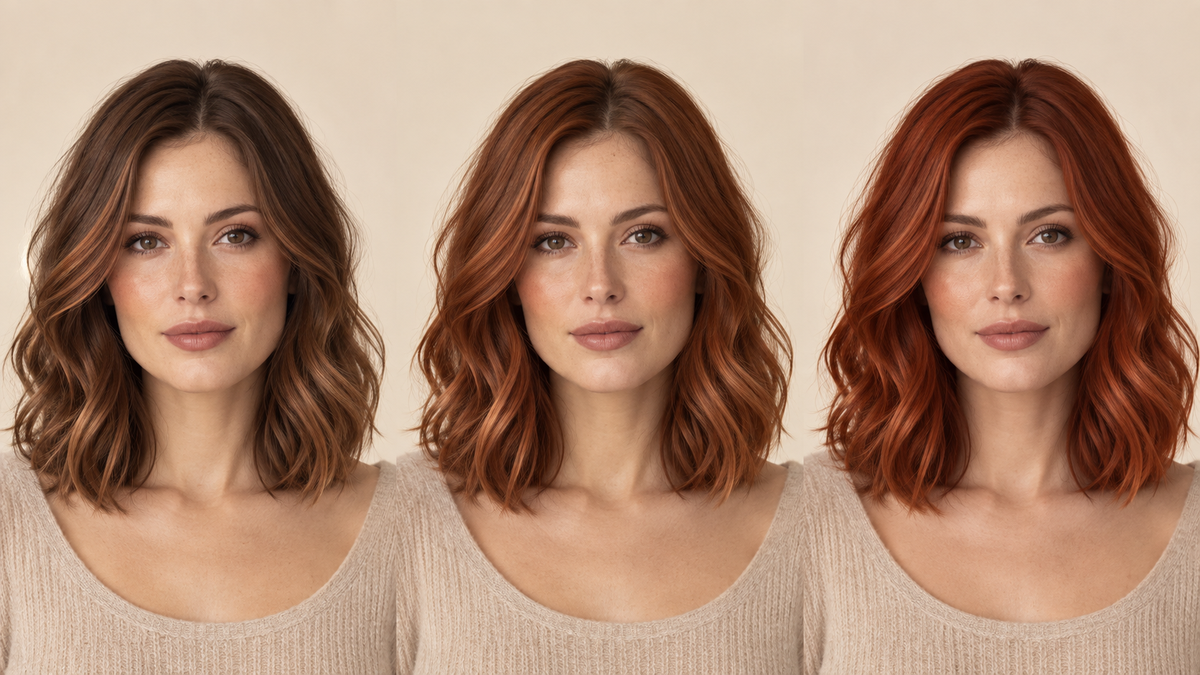
The point of these seven directions is not to force a formula. It is to create a controlled comparison: one photo, several meaningful changes, and a short list of favorites. For inspiration rather than a decision framework, compare the shades in Naee's 2026 hair color trends guide.
How to use Naee for a useful hair color preview
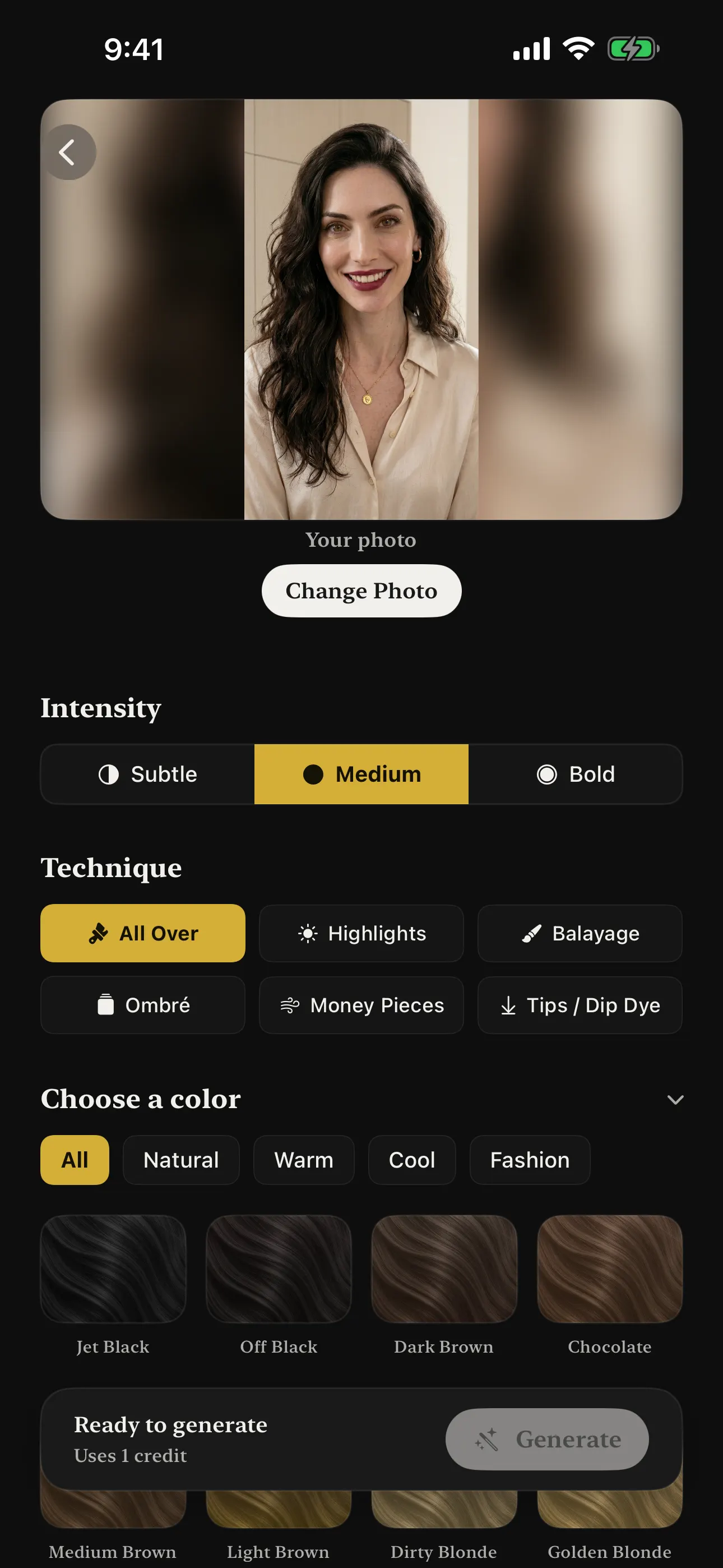
Naee lets you explore hair color changes from a selfie, including different color directions, techniques, and intensity levels. Use it as a visual shortlist builder rather than asking for one supposedly perfect answer.
A practical workflow looks like this:
- Choose a clear reference photo. Use a front-facing image with even light, your hair visible, and no heavy beauty filter.
- Start with a familiar color. Generate a shade close to your current hair so you can judge whether the preview preserves your face and hairline naturally.
- Change one variable at a time. Compare warm versus cool, subtle versus bold, or all-over versus balayage instead of changing everything at once.
- Save two or three finalists. Keep the options that you would genuinely consider, not every interesting experiment.
- Check them in consistent conditions. Compare previews from the same photo and, if possible, view them in both a bright and a dim environment.
- Bring the finalists to a professional. Ask what shade family, placement, and process would create a similar direction on your hair.
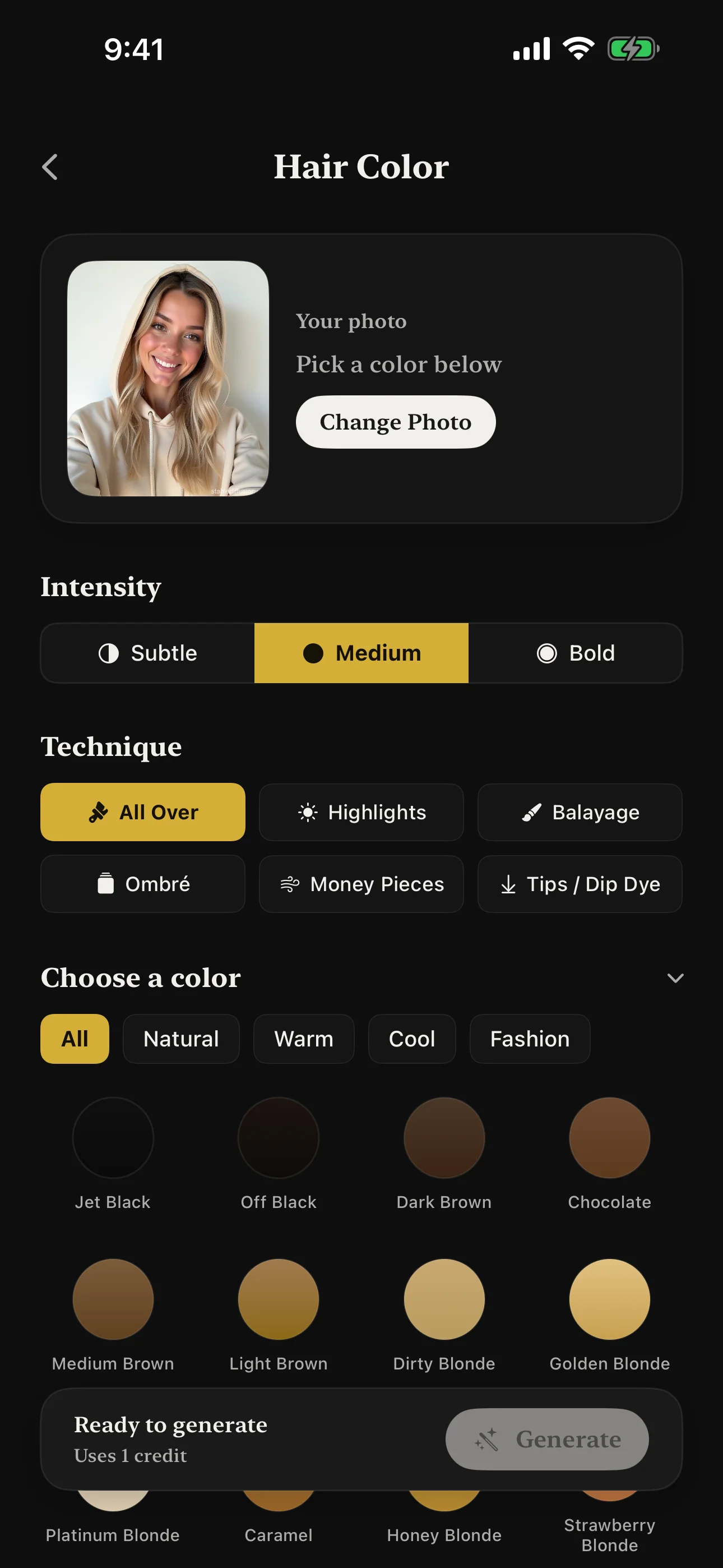
Naee can also help when you have a reference image but cannot describe the color precisely. A screenshot that looks “brown” may actually combine a darker root, warm mid-lengths, lighter pieces, and a gloss. Showing the reference and your preview together gives a stylist more information than a single color name. For a broader overview of the app, read Introducing Naee or learn more about Naee.
For comparison, brand-specific tools can be useful when you are deciding between products from that brand. L'Oréal Paris offers a virtual hair color try-on, Garnier provides a virtual try-on, and Matrix offers a virtual color tool. Use those tools for product-shade exploration; use Naee when you want a broader visual conversation about your next look.
Turn a preview into a salon-ready request
A saved image is useful, but a colorist needs more than “make it like this.” Turn the preview into a short brief:
- Starting point: “My hair is naturally medium brown, with old highlights through the ends.”
- Direction: “I want a warmer chocolate brown with a subtle copper reflection.”
- Placement: “I would like the brightness concentrated around the face, not an all-over blonde.”
- Intensity: “I prefer the softer version in this preview, not the most saturated one.”
- Maintenance: “I want the grow-out to stay manageable between appointments.”
- Questions: “Can my current hair reach this result safely, and what will it look like as it fades?”
The most important question is not whether the preview is attractive. It is whether the plan fits your real hair and routine. Ask about the number of sessions, expected upkeep, products, and what happens if the color fades warmer or cooler than expected.
If you plan to use an at-home product, follow its label instructions and any patch-test guidance. The U.S. Food and Drug Administration’s hair dye safety guidance is a useful reference for basic precautions. A virtual image does not replace a product test or professional assessment.
Common hair color preview mistakes
Comparing different photos
Different angles, filters, and lighting can make the same color appear to be a different shade. Use one consistent reference photo for the main comparison.
Treating a color name as a formula
“Blonde,” “copper,” and “brunette” cover many undertones and techniques. Save the image, describe the warmth and depth you like, and let a colorist translate it into a formula.
Ignoring the roots and grow-out
A dramatic preview often focuses on the final image. Ask how the roots will look after four, eight, or twelve weeks and whether you are willing to maintain them.
Assuming the brightest preview is the best choice
The boldest version is not always the most wearable. Generate subtle, medium, and bold versions so you can identify the smallest change that still feels exciting.
Skipping the salon conversation
A preview is a better starting point than a vague request, but it is still a starting point. A professional can evaluate your hair’s condition, history, density, and ability to reach the target shade.
FAQ
What is a hair color preview?
A hair color preview is a virtual image that shows how a different hair shade or coloring technique may look on your own photo. It helps you compare options before dyeing, but it does not guarantee the exact salon result.
Can I preview hair color before dyeing it?
Yes. Upload a clear selfie to a virtual hair color tool such as Naee, compare several shades and techniques, and save your favorites. Ask a colorist whether your current hair can reach the selected direction safely.
How do I get the most realistic hair color preview?
Use a sharp, front-facing photo with even lighting, visible hair, and no strong filter. Keep the photo consistent while comparing colors, and remember that your current hair color and history affect the real result.
What should I show my colorist from a virtual preview?
Bring two or three saved previews and explain what you like about each one: the shade family, warmth, depth, placement, and intensity. Also share your current color history and how much maintenance you want.
Will a hair color preview show the exact final result?
No. It shows a visual direction. The final color depends on your starting level, previous dye, hair condition, texture, lightening process, toner, products, and the colorist’s technique.
Try before you dye
A good hair color preview does not make the decision for you. It makes the decision more specific. Compare a few meaningful directions, shortlist the ones that fit your style and maintenance limit, then bring them to a professional who can turn the visual idea into a realistic plan.
Download Naee for iPhone (free download, in-app purchases) →