
Which AI Hairstyle App Fits Your Needs? 6 Checks
Choose an AI hairstyle app by preview quality and facial identity, useful recommendations, reference-photo support, usable free allowance, device requirements and photo handling. No app is proven best for everyone. Naee is worth considering if you want haircut and color previews, face-shape suggestions and reference-photo inspiration on an iPhone. YouCam Makeup is another option if you also want a broader makeup and photo-editing toolkit. Neither feature list proves which will work better on your particular selfie.
Publisher disclosure: This is the Naee blog, so we have a commercial interest in Naee. This guide compares documented features and gives you a selection method. It is not an independent hands-on app ranking, and we have not run a controlled accuracy comparison.
Originally published September 12, 2026. Updated October 5, 2026. Product details below are based on official sources checked October 4, 2026; verify current terms before purchasing.
Generated editorial illustration, not a Naee screenshot or evidence of app results.
Table of contents
- Start with the decision you need to make
- Six checks for choosing an AI hairstyle app
- Naee and YouCam: documented features, not rankings
- A worked selection example
- Get a useful preview, then take it to a stylist
- Your final app selection checklist
- FAQ
Start with the decision you need to make
An AI hairstyle try-on generates a visual interpretation of a cut or color on your uploaded photo. Its useful job is to narrow possibilities before a salon appointment, not to choose your identity or promise a finished haircut. Searching for the “best AI hairstyle app” is therefore less helpful than naming the next decision you want to make.
If you already know the cut, prioritize a controllable preview. You might want to compare a shoulder-length bob with a chin-length bob while keeping your current color. If you have no clear direction, recommendation tools can give you starting points, but they should respond to your preferred length, texture and daily routine rather than only a face-shape label.
If your inspiration is a saved photo, reference-image support matters more than a large preset catalog. You need to understand whether the tool can borrow the cut without also borrowing the color. For help turning an idea into a manageable shortlist, see our guide to choosing a hairstyle with AI.
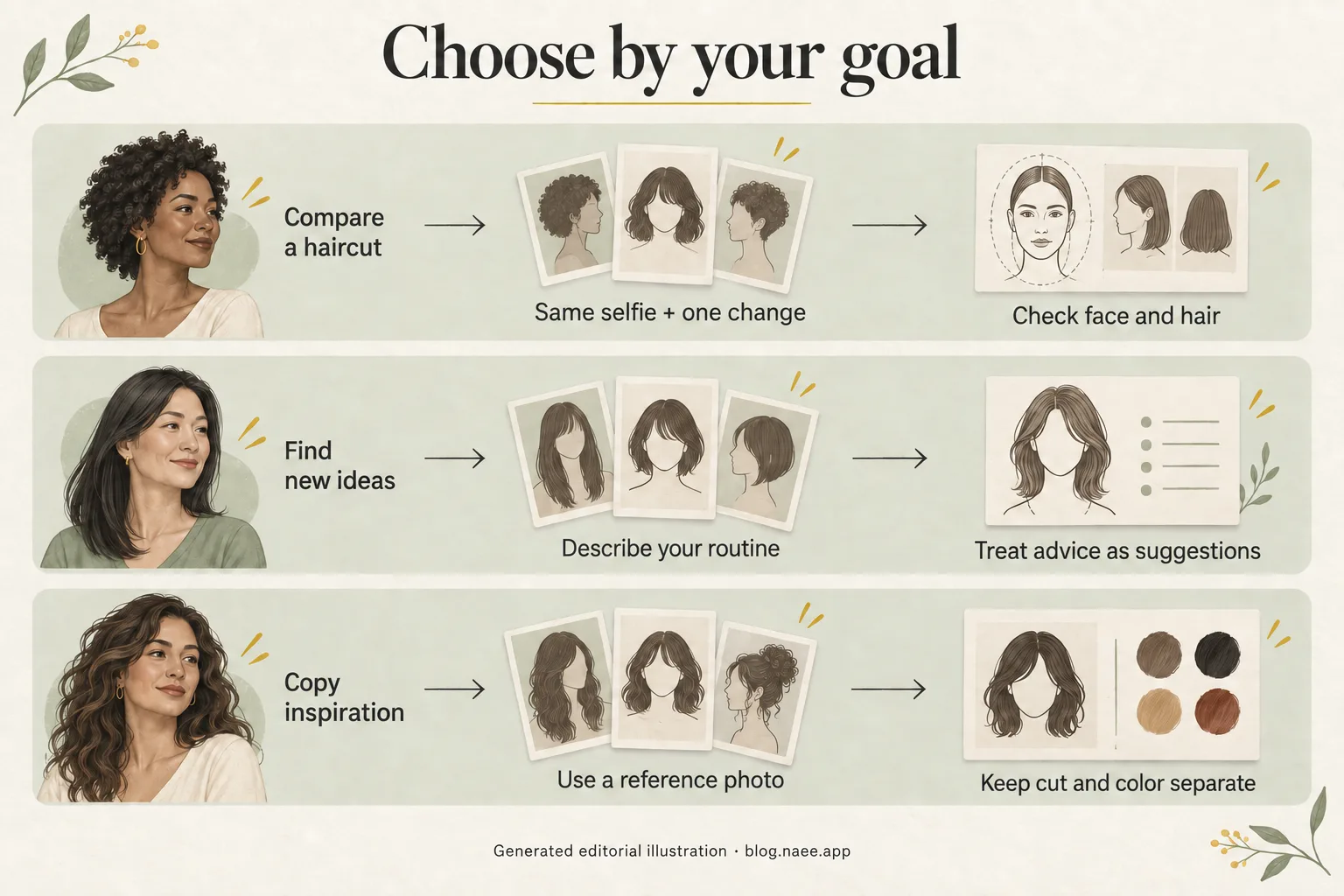
Generated editorial illustration. These are decision workflows, not app screens or demonstrated transformations.
Six checks for choosing an AI hairstyle app
1. Does the preview still look like you?
A beautiful picture is not necessarily a useful haircut preview. Compare the original and generated image for changes to your nose, eyes, jaw, forehead, ears and skin. Hair can naturally cover part of a face, but a narrower jaw or altered nose changes the person you are using to judge the hairstyle.
Use the same clear selfie for your initial comparisons and request one change at a time. Reject an attractive result if you cannot tell whether you like the hair or the edited face. Also inspect the part, hairline, ends and visible texture. A preview that replaces your natural waves with a polished blowout may still inspire you, but it does not establish how the cut will behave on an ordinary morning.
This concern applies to Naee too. Its App Store listing displays an April 9 review reporting changed facial features, with a developer response acknowledging the issue and inviting investigation. That is one reported experience, not a failure rate or proof that the issue persists in the current version. It is a reason to inspect your own output rather than accept an unchanged-face guarantee.
2. Are recommendations useful, or just flattering labels?
Previewing a hairstyle and recommending one are different jobs. A preview answers “What might this direction look like?” Advice should help answer “Why would I choose it, and what compromises would it involve?”
Naee's listing describes face-shape suggestions and Stylist Mode. Treat those as inspiration rather than a professional assessment of your hair. Ask practical questions: Can I still tie it back? How much styling would the fringe need? What changes if I air-dry? Face shape is a starting point, not a rulebook. Our face-shape hairstyle guide offers ideas to compare without treating a category as a restriction.
No verified claim here establishes automatic hair-density detection, a medical assessment or a compatibility score. A photo cannot tell the app everything a stylist needs to know about your hair history and daily habits.
3. Can it use the reference photo you actually want?
Reference support is valuable when a preset named “bob” is too vague. Before paying, check whether the app accepts a hairstyle image, what it asks you to upload, and whether you can describe the elements you want to keep.
The Naee website describes copying cut and color cues from reference photos. YouCam's listing describes Custom Hair Try On with reference photos and an option to keep your natural hair color. These are documented capabilities, not evidence that either reproduces every look accurately.
Use a reference with visible ends, a clear part and understandable texture. Separate the brief into length, silhouette, fringe and color. If the photo shows a studio-styled finish, ask for the cut rather than assuming that finish comes with it. Compare color separately using our hair color preview guide.
4. Is the free allowance usable for your decision?
“Free download” does not mean unlimited free generations. The important question is whether you can evaluate the feature you need before committing money, and what happens after the trial allowance is used.
Naee's listing says its trial has limited credits and continued generations, color changes and Stylist Mode require a subscription or credit purchase. Its version history mentions a daily free coin, but that does not establish the current number of free generations available to every user. YouCam describes its hairstyle and color tools as including free and paid content. We do not quote an unverified exact allowance or price for either.
Read the current in-app purchase screen. Check the billing period, renewal terms, which features are included, and whether credits or a subscription better suit a one-off appointment. A plan to compare two lengths and a fringe could need several usable previews, especially if the first output has artifacts. That is your planning requirement, not a promise of a particular free allowance. Do not subscribe just because the download button was free.
5. Does it work on your device and connection?
Confirm compatibility before spending time collecting inspiration. Naee's listing identifies it as designed for iPhone and requires iOS 17.6 or later. The website says new generations and stylist chat need an internet connection; saved results can be viewed offline. Saved-result access is not offline generation.
YouCam's listing shows iPhone and iPad support. Check its current compatibility section for your exact device and operating system. Do not assume that a phone app has an equivalent browser version, or that installation on a different Apple device means every feature is supported in the same way.
6. Is photo handling explained clearly enough for you?
Read the privacy policy before uploading a face photo. Look for the processing provider, purposes, retention, training use, consent and deletion instructions. A reassuring icon or store privacy label is not an independent security audit.
Naee's privacy policy, effective March 16, 2026, says selected photos are sent to Google AI Services via Firebase for processing, are not retained by that third-party processor after processing, and are not used for AI training. It describes local storage of photos and face-analysis results, with app deletion removing locally stored data. The website separately says photos are deleted from Naee's own server within 24 hours. Those statements may refer to different processing stages; they are publisher assertions, not deletion behavior independently verified by this article.
If those distinctions matter to your choice, ask support what happens at each stage before uploading. Apply the same questions to alternatives, including the privacy policy linked by YouCam. Use your own photo or one you have permission to use, and avoid unnecessary personal details or other people's faces in the background.
Naee and YouCam: documented features, not rankings
This table summarizes official product descriptions. It does not score accuracy, compare subscription value or designate a winner.
| Your need | Naee's documented fit | YouCam Makeup's documented fit | What you should verify |
|---|---|---|---|
| Haircut and color exploration | Own-photo haircut and hair-color previews | Hairstyle try-on and hair-color changer | Your face remains recognizable and the hair detail is useful |
| Starting-point advice | Face-shape suggestions and Stylist Mode | Broader beauty advice through its AI Agent, described as subscription-required | Advice answers your actual routine questions |
| A particular inspiration photo | Reference-photo support described on its website and in a developer response | Custom Hair Try On with reference photos | Cut, color and texture controls match your goal |
| Hair tools without a broader makeover focus | Hairstyle-focused product description | Includes makeup, face and body editing alongside hair tools | Unrelated edits do not distort your comparison |
| Trying before committing | Limited-credit trial; paid continued use | Free and paid hairstyle content | Current allowance, checkout terms and the cost of your planned comparisons |
| Device fit | Designed for iPhone; iOS 17.6+ | Listing shows iPhone and iPad | Current compatibility and connectivity needs |
If your goal is an iPhone haircut shortlist with conversational ideas and a saved reference, Naee's documented features make it a reasonable candidate. If makeup and broader photo editing also matter, YouCam's broader toolkit may be relevant. Choose after checking the actual feature access and output on your photo, not by treating the number of presets or an overall star rating as a haircut-accuracy test.
A worked selection example
Hypothetical example, not a user case study: Maya, 38, uses an iPhone and has shoulder-length wavy hair. She wants a shorter cut but needs to tie it back for work, prefers about ten minutes of morning styling, and has saved a chin-length bob photo. She is not looking for makeup or facial retouching.
Her initial shortlist is two hairstyle-capable apps, not ten. She checks compatibility and policies first, then looks for reference-photo access and clear purchase terms. Naee is a candidate because its documented haircut, chat and reference features match her task. YouCam remains a candidate because its listing also supports custom reference photos; its extra beauty tools are neither a benefit nor a disadvantage unless she needs them.
Maya plans three comparisons: a shoulder-skimming bob in her current color, the same cut slightly shorter, and a variation with longer face-framing pieces. She uses one unfiltered photo for all three. If the shorter version changes her jaw or adds much fuller hair, she discards it as decision evidence rather than deciding it is the most flattering haircut.
Finally, she saves two useful directions and notes “keep enough length to tie back” beside them. Her stylist can confirm whether the reference shape works with her waves and styling time. The success criterion is a clearer salon conversation, not an app declaring that a chin-length bob is her perfect match.
Get a useful preview, then take it to a stylist
Choose a sharp photo in even natural light with your face and hair visible. Avoid heavy filters, hats, extreme angles, strong backlighting and overlapping hair from another person. Keep the photo consistent when comparing lengths or colors. If a result looks strange, first check whether the input obscures the hairline or ends, rather than buying more generations without changing the brief.
A sensible workflow is preview, shortlist, consult. Explore the visual direction, keep two or three favorites, and bring both the inspiration and your original photo to a stylist. Say what you like: the length at the jaw, the amount of fringe, the color contrast or the softer perimeter. Explain what you do not want to change.
Generated fullness is not proof of your real hair density. An image cannot guarantee how fine hair, curls, cowlicks or existing layers will behave after a cut. For routine-focused options, our low-maintenance medium-length haircut guide can help you decide which trade-offs to discuss.
Color previews are likewise visual references, not a formula. Starting color, previous dye, hair condition and the lightening process affect what is achievable. Ask a professional what steps and upkeep a shade would require before making a chemical change. A tool worth keeping makes these conversations easier; it does not replace them.
Your final app selection checklist
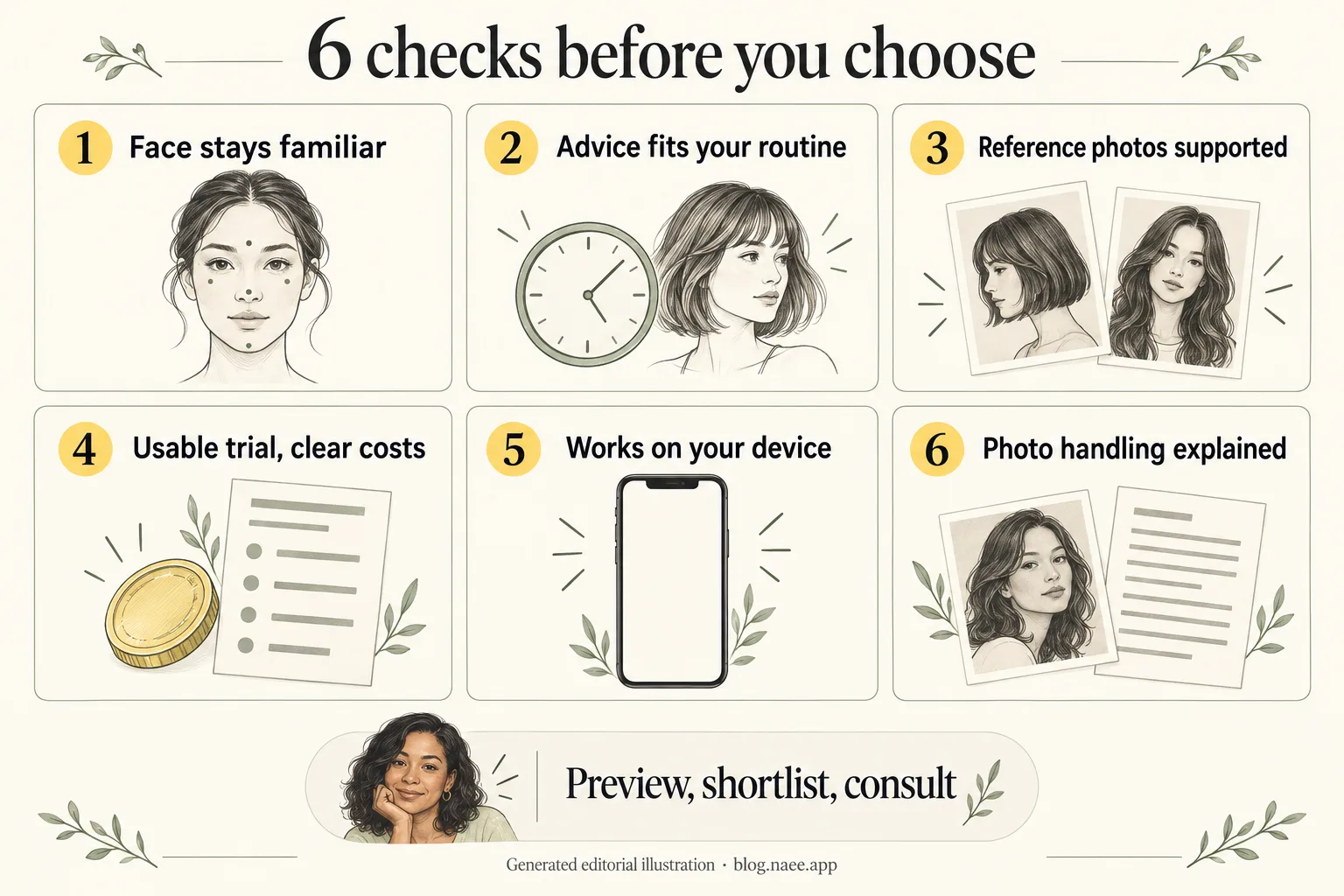
Generated editorial illustration, not an app test report or privacy certification.
Before choosing, write down your answers:
- Goal: Am I comparing a known cut, looking for ideas or using a reference photo?
- Identity: Does the usable output still resemble my original face?
- Control: Can I keep color stable while changing length, or vice versa?
- Cost: Do I understand the current allowance and purchase terms?
- Access: Will the needed feature work on my device and connection?
- Privacy: Am I comfortable with the policy's processing and retention explanation?
- Next step: Can I save a reference and explain its limits to my stylist?
The best choice for your needs is the tool that clears your essential checks and produces a useful shortlist. You do not need to crown a universal winner. If Naee fits that brief, you can view Naee on the App Store and review its current trial and purchase terms before downloading.
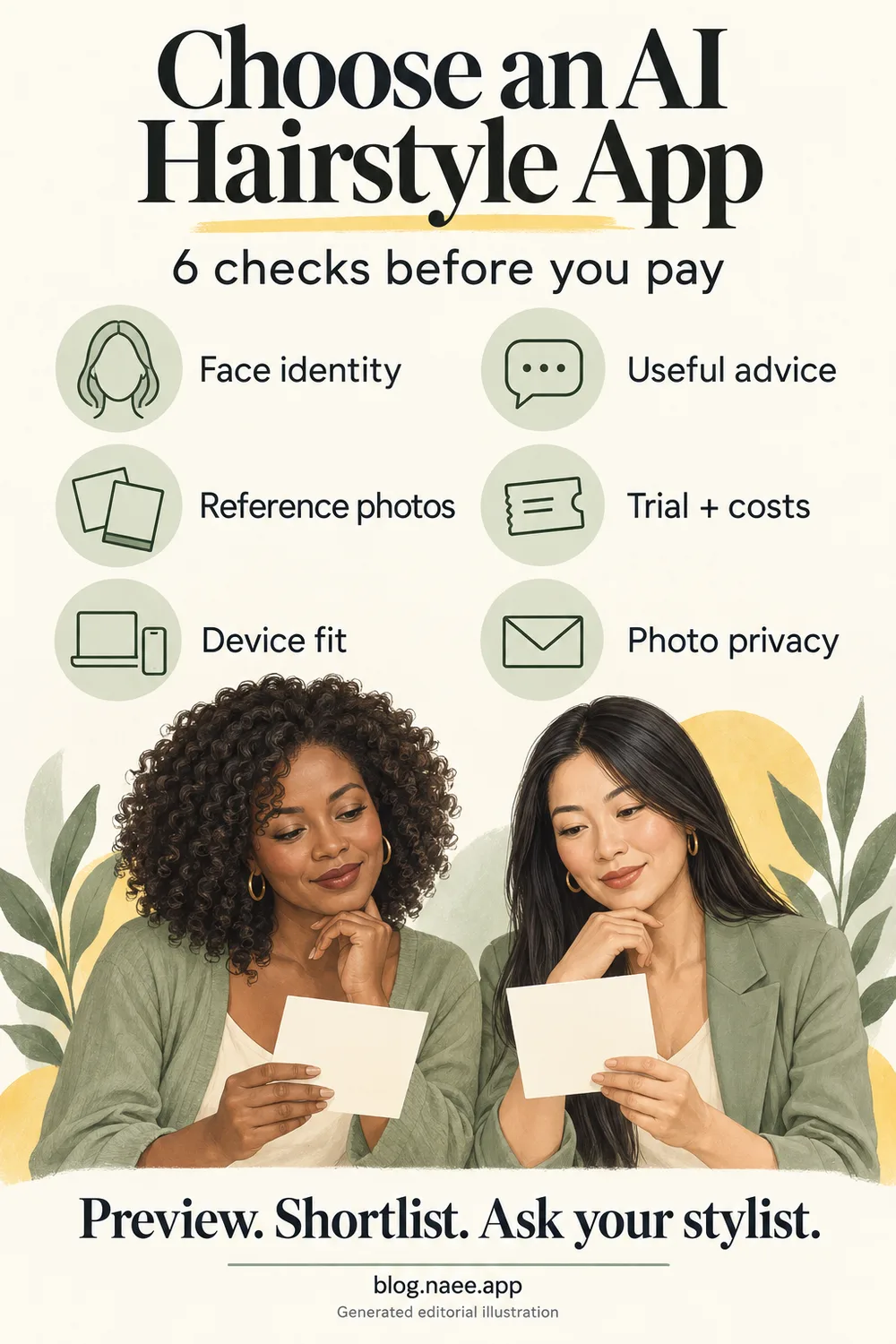
Generated editorial illustration. Save this six-check reminder for your next hairstyle decision; it is not a screenshot or a promise of results.
FAQ
What is the best AI hairstyle app for iPhone?
No app is proven best for everyone. Choose by identity preservation, useful preview controls, advice, reference support, trial terms, compatibility and privacy. Naee is a hairstyle-focused candidate; YouCam offers hair tools within a broader beauty editor. Their official descriptions do not replace trying the relevant feature on your own photo.
Is Naee free to use?
Naee is free to download. Its listing describes a trial with limited credits and says continued generations require a subscription or credit purchase. The current usable allowance should be checked in the app; the version-history mention of a daily free coin does not establish unlimited free previews.
Can I upload a photo of a haircut I like?
Naee's website describes reference-photo support, and YouCam's listing describes custom hair try-on from reference photos. Confirm access in the current app, then specify whether you want the cut, color or both. A reference preview is an interpretation, not an exact-transfer guarantee.
Can an AI hairstyle app keep my face unchanged?
Do not assume an unchanged-face guarantee. Compare your original with every result and inspect familiar facial features. A generated image can still be useful inspiration even when it is not reliable evidence of how that hairstyle would look on your unchanged face.
Will the preview match my salon result?
Not exactly by promise. Your length, texture, existing color, hair condition, styling routine and the stylist's technique influence the outcome. Use the image to communicate a direction, then ask what adjustments are needed for your real hair.