
Best Haircut App for Men: What to Look For Before You Download
The best haircut app for men is one that keeps your own face, hairline and hair texture, handles short cuts like fades and crops without smudging them, and suggests styles based on your face shape instead of just pasting a template on your head. On iPhone, that usually means an AI try-on app that edits your real selfie rather than a live camera filter. Whichever tool you pick, test it with a good photo, compare a few cuts side by side, and turn the result into clear instructions for your barber.

Generated editorial illustration, not Naee output or a real haircut result. A textured crop with a mid fade, the kind of short cut a men's haircut app needs to render convincingly.
Most men try a haircut app for one reason: to see a cut on their own head before committing. Short men's hair is hard to fake, though. A fade is a gradient measured in millimetres, and a buzz cut shows every bump of your head. This guide covers what a good app should do, how the tool types compare, how to get a realistic preview, and how to take the result to the chair.
Publisher disclosure: This is the Naee blog, and we have a commercial interest in the Naee app mentioned near the end. The illustrations here were generated for this article and are not Naee results or client photos.
Contents
- What a good haircut app for men should do
- Camera filters vs web uploaders vs AI try-on apps
- A quick checklist before you download
- How to take a selfie that gives a realistic preview
- Test three cuts side by side
- Turn the preview into a barber brief
- Preview men's haircuts in Naee
- FAQ
What a good haircut app for men should do
A men's hairstyle app is only useful if the preview looks like you with a different haircut. These are the things that decide that.
Keep your face and hairline
The face in the preview should be yours: same jaw, same nose, same skin, same age. Some tools quietly smooth skin, sharpen the jawline or shift features toward a generic model look. That makes every cut look better than it will in real life, which defeats the point.
Your hairline matters just as much. If you have a receding hairline or thinning at the temples, a preview that fills it back in is showing you a cut you cannot get. Look closely at the temples and the crown in every result. Our guide on how AI previews preserve your face explains what to check in more detail.

Generated editorial illustration, not Naee output. A short side-swept cut on salt and pepper hair with the receding temples left visible; a useful preview should keep your hairline as it is.
Handle short cuts and fades realistically
Short cuts expose weaknesses fast. A good app should show a clean gradient on a fade and short hair that sits close to the scalp rather than floating like a hat. Watch for blurry sides, a hard line where the fade should blend, or a buzz cut that looks painted on. If you cannot tell where the fade starts, the preview will not help you choose between a low, mid and high fade.
Respect your texture and density
Straight, wavy, curly and coily hair behave very differently when cut short. A textured crop on thick straight hair looks nothing like the same cut on fine hair, and curls on top of a taper depend on your curl pattern and shrinkage. A useful app keeps your hair type and roughly your density instead of swapping in someone else's thick, glossy hair.
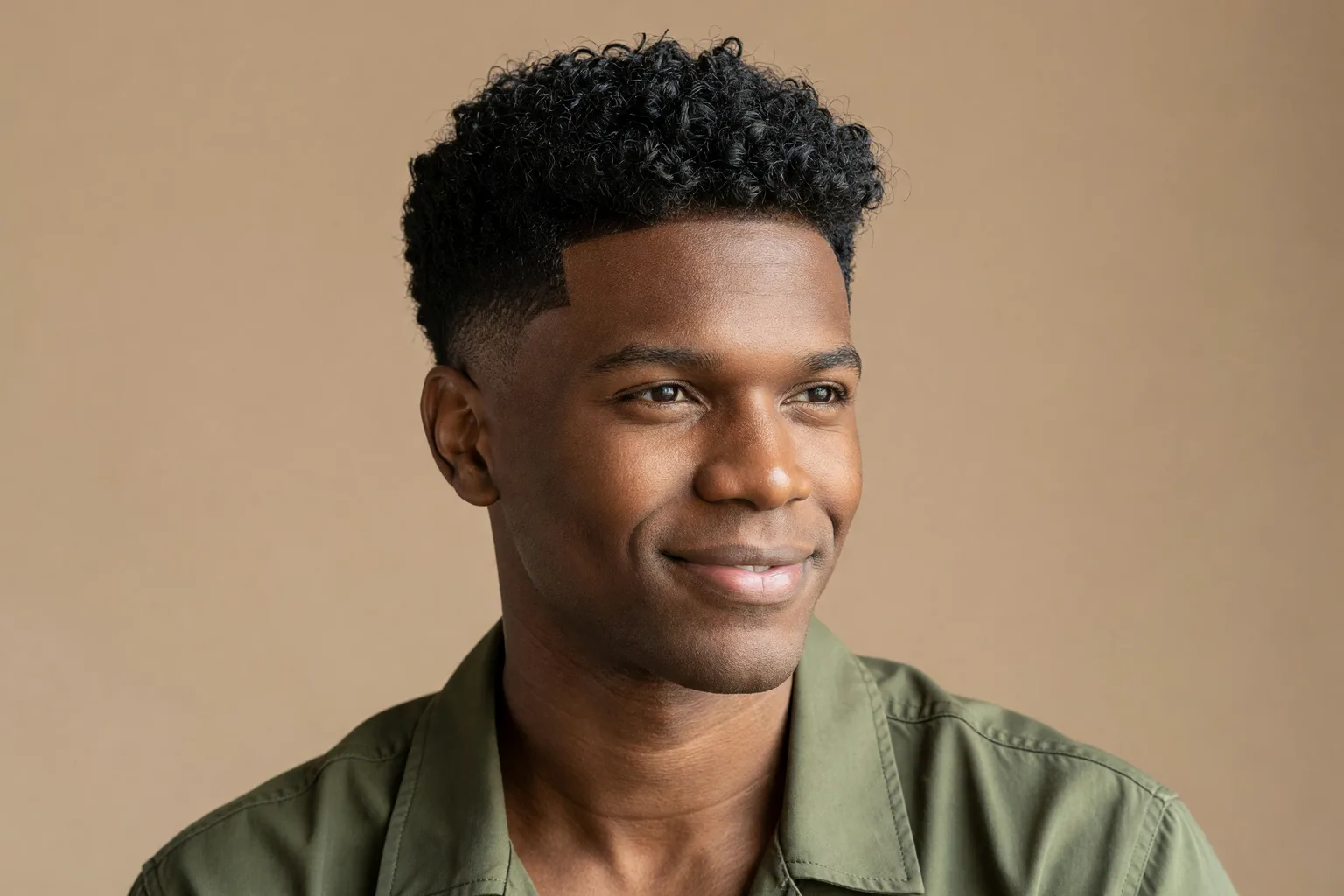
Generated editorial illustration, not a real transformation. Defined curls on top with a low taper on the sides; how your own curls stack and shrink decides the real shape.
Suggest cuts that suit your face, not just filters
A long list of styles is less useful than a short list that fits. Better tools look at your face shape and proportions and suggest cuts that balance them: more height for a round face, less height and some width for a long one, softer edges for a strong square jaw. That gives you a starting point before you browse. If you want the background, our guide to hairstyles by face shape covers the basics, and the face shape hairstyle apps guide explains how those suggestions work.
Let you test color and reference photos
Many men want to see grey blending or a darker shade before trying it, and copying a cut from a saved photo is often easier than finding its name. A good app lets you do both on your own selfie.
Be clear about pricing and privacy
You are uploading a clear photo of your face. Check what the app says about how photos are handled before you use it, and read the privacy policy rather than assuming. Our AI hairstyle selfie privacy guide lists the questions worth asking. Pricing should also be clear up front: how many previews come free, and what you pay after that.
Camera filters vs web uploaders vs AI try-on apps
Most tools that promise to show you a new haircut fall into three groups. They are built for different jobs.
| Tool type | How it works | Good for | Weak spots for men's cuts |
|---|---|---|---|
| Social camera filters | Live overlay on your camera feed | Quick laughs, rough idea of length | Hair looks pasted on, fades and hairlines rarely look real, limited choice |
| Web uploaders | Upload a photo on a website, pick a style | Trying a tool without installing anything | Quality varies a lot, often template based, face can drift |
| AI try-on apps | Generate a new image from your selfie | Realistic previews, face shape suggestions, color and reference photos | Usually need credits or a subscription past a trial; still an illustration |
Camera filters are fine for deciding whether a buzz cut is worth thinking about, but they cannot show the difference between a #1 and a #3 on the sides. Web uploaders are convenient; check how they handle your photo and whether results keep your face. AI try-on apps generally do the best job with short cuts, texture and hairlines. Our comparison of haircut filters vs AI try-on goes deeper, and if cost matters most, see our roundup of free AI hairstyle apps.
A quick checklist before you download
Use this to judge any haircut app for men on iPhone, including ours:
- Face match: Does the person in the preview still look like you, at your age?
- Hairline: Are your temples, widow's peak or recession kept as they are?
- Short cut quality: Do fades blend, and does a buzz cut show your real head shape?
- Texture: Do curls stay curls and fine hair stay fine?
- Men's range: Are there enough men's cuts (crops, fades, tapers, side parts, quiffs, curls, buzz cuts), not just a few token options?
- Suggestions: Does it suggest cuts for your face shape?
- Extras: Can you change color or copy a cut from a reference photo?
- Pricing: Are the free trial and paid options explained before you start?
- Privacy: Is there a clear policy on how your photos are used?
If an app fails the first three, the rest does not matter much.
How to take a selfie that gives a realistic preview
The photo you start with decides most of the result. A bad selfie gives even a good app very little to work with.

Generated editorial illustration, not an app screen. Facing a window at eye level gives even light on the face and an honest view of the hairline.
- Face soft daylight. Stand facing a window. Avoid overhead bathroom lights that throw shadows under your eyes and hide your hairline.
- Hold the phone at eye level. Shooting from below widens the jaw and from above shrinks it. Straight on is the most honest.
- Look straight ahead. A front view works best. Keep your expression neutral and your mouth closed.
- Show your hairline. Push hair off your forehead if it usually covers it, so the app can see where your hair actually grows.
- Remove hats, glasses and headphones. Anything touching your head can confuse the edit.
- Skip filters and beauty modes. Use the plain camera. Smoothing makes the result less useful.
- Use your hair as it normally is. Not freshly cut, not heavily styled, not wet.
Take two or three and pick the sharpest.
Test three cuts side by side
One preview tells you whether a cut looks good. Three previews tell you which one is best for you. Pick three directions that are actually different, keep everything else the same, and compare them together.
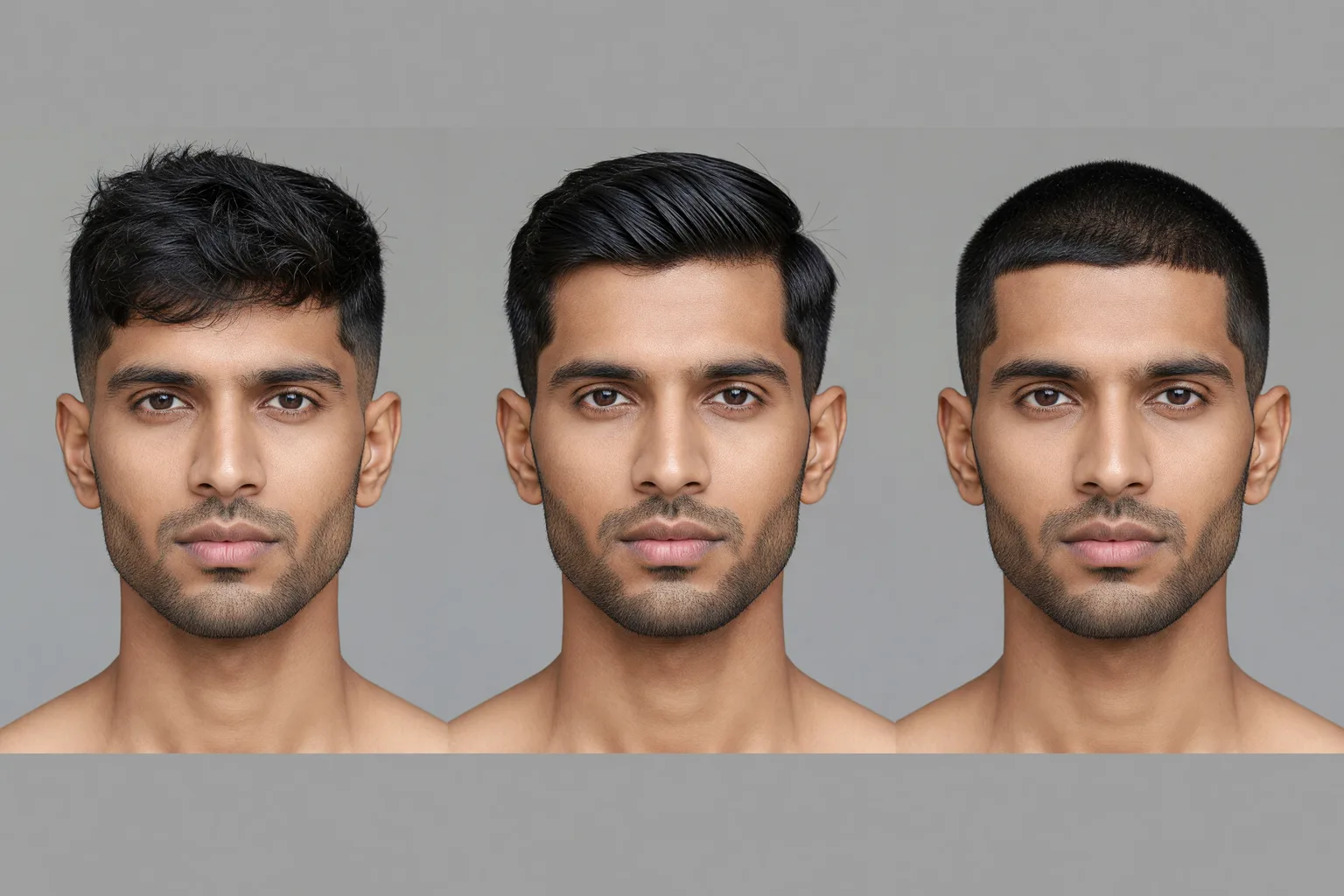
Generated editorial comparison, not Naee output. The same man with, from left, a textured crop and mid fade, a side part with a low taper, and a short buzz cut.
A good set for many men is:
- Your safe option. Close to what you have now, slightly sharpened. For example, a tidier taper with the same top length.
- A moderate change. A textured crop with a mid fade, or a side part with a low taper.
- A bigger change. A buzz cut, a high skin fade, or growing the top out into a quiff or curls.
Use the same selfie for all three so lighting does not sway you, and ask whether each one suits your face shape, your work and your morning routine. If you need a starting list, our guide on what haircut you should get walks through options. If two look close, choose the one that is easier to grow out of.
Turn the preview into a barber brief
A preview is not a cutting instruction. Your barber still needs numbers and positions. Bring the image, and translate it into these four points:
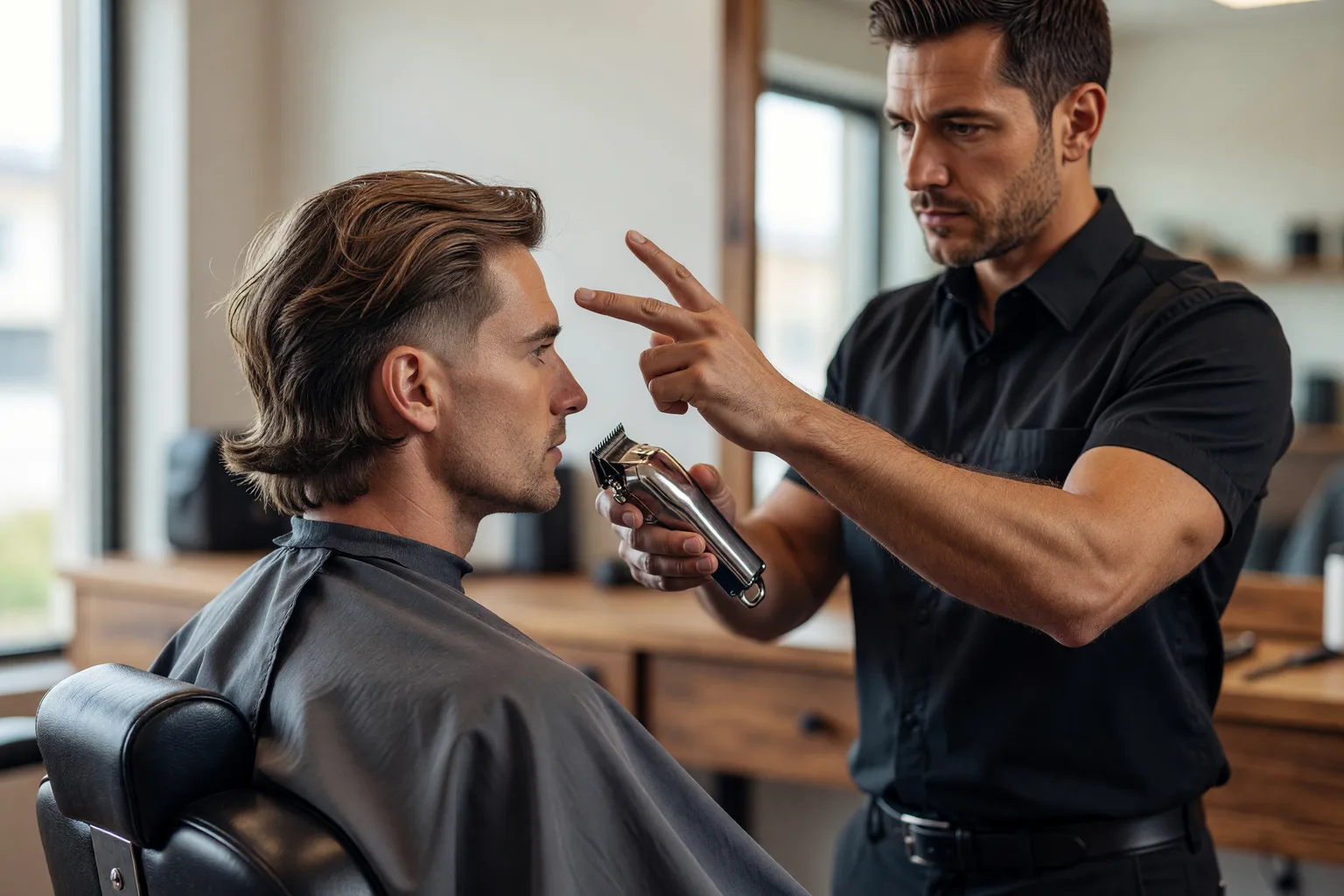
Generated editorial illustration, not a real appointment. A short consultation before the clippers start is where you agree on guard numbers, fade height and top length.
- Sides and back (guard number). Clipper guards run roughly from #0 (no guard) up to #8, with each number about an eighth of an inch longer. A #1 or #2 is short and shows scalp; a #3 or #4 is still short but covers more. If you are unsure, start longer. Your barber can always go shorter.
- Fade height. Low fades start just above the ear, mid fades around the temple, high fades near the corners of the head. Point to where you want it to start.
- Top length. Say it in inches or use your fingers: about one inch, two inches, enough to push back. Mention if you want texture or a cleaner finish.
- Neckline and front. Tapered, rounded or squared at the back, and whether the front stays natural or gets a line up.
A sample request: "Mid fade starting around the temple, down to a #1 at the bottom, blended into about two inches on top with some texture. Tapered neckline, keep my natural hairline at the front."
Also mention what the preview cannot show, like cowlicks and how your hair lies after a shower.
Preview men's haircuts in Naee
Naee is an iPhone AI hairstyle app that works for men and women, with 100+ hairstyles for each. For men, that covers fades, crops, side parts, quiffs, curly cuts and more, all generated on your own selfie. It aims to keep previews matched to your hair type, density and color, so a crop on fine hair should look like a crop on fine hair, not on someone else's thick hair.
What you can do in it:
- Get suggestions for your face. Facial analysis recommends hairstyles that suit your face shape, so you can start with a shortlist instead of scrolling.
- Change your hairstyle. Try a different cut on your own photo and compare versions.
- Change your hair color. Test grey blending, a darker shade or something bolder.
- Copy a cut from a reference photo. Use a saved photo of a haircut you like and see it on your head. Our guide to copying a hairstyle from a photo explains how to get the most out of that.
- Ask the AI chat. Describe what you want in plain words and it can make any of these edits. This is also how you preview very short looks: ask "show me with a #2 buzz cut" or "show me fully shaved" and compare the result with your current hair.
A preview is still an illustration, not a guarantee. It cannot show your cowlicks or exactly how your barber will blend a fade. Use it to narrow down a direction, then confirm the details in the chair.
If you want to see a few cuts on your own face before your next appointment, download Naee for iPhone. It is a free download with a trial that includes limited credits; generating more previews after that requires a subscription or a credit purchase. Check the current in-app terms rather than assuming unlimited free previews.
The takeaway: Choose a haircut app that keeps your real face, hairline and texture, start with a clean, well lit selfie, compare three different cuts, and walk into the barbershop with guard numbers, fade height and top length ready.
FAQ
What is the best haircut app for men on iPhone?
The best one is the app whose previews still look like you. Look for an AI try-on app that keeps your face and hairline, renders fades and short cuts cleanly, respects your hair texture, and suggests cuts for your face shape. Test it with a good selfie before paying for anything.
Can a haircut app show how a fade will look on me?
A good AI app can show the general look of a low, mid or high fade on your head, which helps you choose a height. It cannot predict exactly how your barber will blend it or how it will look after it grows for two weeks. Use it to decide on a direction, then agree on guard numbers in the chair.
Are haircut apps for men free?
Many offer some free use, but realistic AI previews usually cost money past a trial. Camera filters are often free but less realistic. Check the pricing screen before you start so you know how many previews you get.
How do I preview a buzz cut or shaved head?
Some tools have a dedicated filter for this. In Naee, you ask the AI chat, for example "show me with a #2 buzz cut" or "show me fully shaved". Use a front facing selfie with your hairline visible so the result reflects your real head shape and hairline.
Will an app make my receding hairline look fuller?
Some do, which is not helpful. A good preview keeps your hairline where it is so you can see how a cut works with it. If the result fills in your temples, treat that part as unrealistic and judge the cut on the sides, top and overall shape instead.